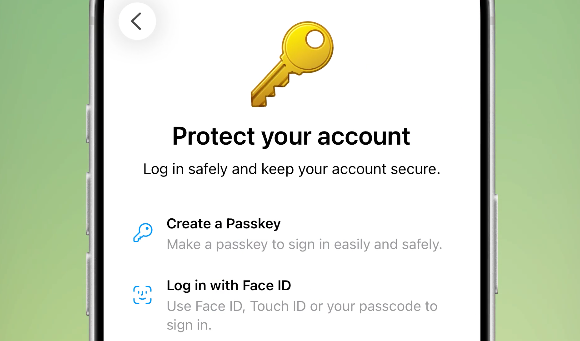
Telegram is rolling out a new update that allows users to create their own Passkey, and this will help them with instant logins on eligible devices. It will likewise help further secure their accounts.
Telegram Adds Passkey Support For Instant Logins
Telegram shared a new announcement detailing their latest update for the app, which brings in Passkey support for the first time on the platform.
This new feature on the Telegram platform offers a more secure login experience for each account that enables Passkey on their logins, and this is immediately available upon updating their app.
"The unique encrypted keys for your Passkeys are stored on your device — and can be synced with password management apps from iCloud, Google, and more. This makes passkeys not only the fastest way to log in, but also the most secure," said Telegram.
According to Telegram, Passkeys work "anywhere, any time," and this will not matter if users do not have their SMS service working to deliver their one-time passwords (OTPs) or are traveling with their main line turned off to avoid roaming charges.
Telegram also said that Passkeys are now the fastest way to log in to their accounts via the app, and it is also the "most secure" login method available on the instant messaging platform.
According to the company, users should still keep their SIM cards and phone numbers active despite activating their Passkeys as they will still be needed for other forms of authentication.
Easy, Secure Passkey Logins on Eligible Devices
According to Telegram, users who have updated their app may now create their Passkey and save it to their trusted device, as long as it is eligible to store Passkeys or offer support for the authentication feature.
To start, users only need to go to Settings, then head to Privacy and Security, and then select Passkeys, which is available on any device that is eligible to store it.
Passkeys require a device with some kind of facial or biometric recognition feature to authenticate the logins, and every time users need to log in, they will use the Passkey stored in their device.
Many other platforms have already adopted Passkey years ago, with Meta bringing the multi-factor authentication system to WhatsApp on iOS, allowing password-less logins to all.
For many years now, Google has begun transitioning all logins to Passkeys, making it the main login method that offers safety, security, and simplicity in one.
With Passkeys, users only need to log in one time using their usernames and passwords and then choose the option to enable Passkey logins to use their stored information to authenticate logins.
ⓒ 2026 TECHTIMES.com All rights reserved. Do not reproduce without permission.


