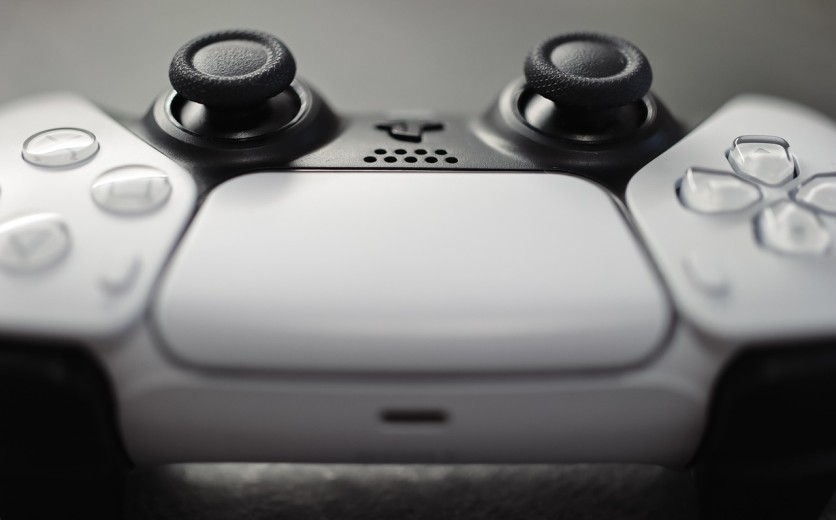
Accurate aiming is one of the most valuable skills in first-person shooter (FPS) games, especially on PlayStation 5. Whether players are competing in "Call of Duty," "Apex Legends," or "Fortnite," mastering precise control can be the difference between victory and defeat. This guide explores essential PS5 aim tips, recommended FPS controller settings, and practical ways to build better accuracy over time.
Why Aim Matters in FPS Games on PS5
In most FPS titles, aim accuracy directly influences a player's performance. Smooth tracking, consistent crosshair placement, and quick reflexes all depend on refined muscle memory. Unlike PC gaming, where a mouse offers pinpoint control, aiming with a controller requires both mechanical skill and strategic setup.
For console players, understanding how to balance sensitivity, aim assist, and controller responsiveness is key. Small adjustments to settings or technique can significantly improve results.
How to Improve Aim on PS5
Improving aim takes a combination of optimized settings, good habits, and consistent practice. Players should start by establishing a control setup that feels natural, then reinforce it with daily routines.
Adjust Controller Sensitivity
Sensitivity determines how quickly the crosshair moves when the analog stick is pushed. Lower sensitivities allow for more control, while higher settings offer faster reactions. The ideal sensitivity depends on the game's mechanics and personal comfort.
Experiment with Layouts
The default button layout isn't always optimal. Some players benefit from custom mappings that allow quicker access to key actions. PS5's DualSense and DualSense Edge controllers both support remapping, making it easier to tailor inputs for smoother aiming and movement.
Use Aim Trainers or Practice Modes
Many FPS games include practice ranges or training maps. Spending ten to fifteen minutes daily on target drills, tracking moving bots, or practicing recoil control can steadily improve aim accuracy.
Understanding Different Aim Styles
- Tracking Aim: Following moving targets smoothly.
- Flick Aim: Quickly snapping to targets, ideal for fast-paced combat.
Recognizing which style a game emphasizes helps refine focus and muscle memory more effectively.
Best PS5 Controller Settings for Better Aim
Optimizing FPS controller settings can make aiming feel smoother and more precise. Since every player's comfort level differs, experimentation is crucial, but there are proven guidelines to start with.
Set Sensitivity Levels Thoughtfully
- Look Sensitivity: Controls turn speed. Ideal range is usually between 4–6 on most games.
- ADS Sensitivity: Affects aim-down-sight movement. Should be slightly lower for steadier control.
Adjust Dead Zones
A dead zone defines how far an analog stick must move before it registers input. Smaller dead zones make small stick movements more responsive, which benefits precision aiming. However, if set too low, it can lead to drift.
Tune Response Curves
Response curve settings determine how quickly movement accelerates from a stick's center point. A "linear" curve offers direct control, while "exponential" curves feel smoother. Players looking for better aim on PlayStation often prefer linear curves for accuracy.
Keep Settings Consistent
Consistency builds muscle memory. Changing sensitivity or layouts too frequently resets progress. Players should find a comfortable baseline and commit to practicing with it for at least a week before making new adjustments.
Should You Use Aim Assist on PS5?
Aim assist is one of the most debated mechanics in console FPS gaming. As part of a comprehensive aim assist guide, understanding its advantages and drawbacks helps players make informed decisions.
What Aim Assist Does
Aim assist slows down crosshair movement when near a target, helping compensate for controller limitations. It supports micro-adjustments that are harder to achieve with analog sticks, especially at medium or long range.
When It Helps
Aim assist benefits players who are still refining their stick control or play fast-paced shooters where targets move quickly. It also improves tracking consistency in close encounters.
When It Might Hurt
For highly skilled players, aim assist can sometimes interfere with manual precision, especially when two enemies overlap on screen. Over-reliance on it may limit long-term skill growth.
Optimizing Aim Assist Settings
Not all games handle aim assist equally. Titles like "Call of Duty Warzone" offer multiple assist types, Standard, Focusing, and Precision, each catering to different playstyles. Players should test these options during training sessions and adjust based on comfort rather than public opinion.
How to Practice Aiming Effectively on PlayStation
Developing better aim on PlayStation requires structured practice. Unlike random matches, controlled drills focus purely on repetition and precision.
Warm-Up Routines
Before online matches, it helps to spend a few minutes in a firing range or aim trainer. Work on consistent target tracking and recoil management to activate muscle memory.
Daily Practice Sessions
Ten to twenty minutes of practice daily is more effective than occasional long sessions. Over time, consistency reinforces neural patterns for smoother reflexes.
Use Training Maps
Many FPS games include target practice arenas. In "Fortnite," creative mode maps allow users to build custom aim scenarios. Players should focus on moving targets, headshots, and rapid weapon swaps for real-world replication.
Crosshair Placement
Keeping the crosshair at head level reduces aiming time. Instead of reacting to enemies, players anticipate their position, which improves kill response speed.
Recoil Control Practice
Learn each weapon's recoil pattern. Shooting short bursts and adjusting the analog stick in the opposite direction improves long-range accuracy.
Accessories That Help Improve Aim on PS5
Hardware can also influence aiming efficiency. A few well-chosen accessories enhance comfort and control.
- DualSense Edge Controller: Offers adjustable stick tension, customizable back buttons, and trigger length control for faster reactions.
- Thumbstick Grips: Improve grip and reduce slipping during extended play. Raised sticks offer better precision for small movements.
- Trigger Stops: Shorten trigger travel distance, reducing delay between shots.
- High-Refresh Monitors: A 120Hz display with low input lag allows smoother tracking, which directly supports aiming performance.
Though gear does not replace skill, it can provide incremental advantages that complement training and proper setup.
Common Mistakes Players Make When Improving Aim
Even experienced players can sabotage their own progress through inconsistent habits:
- Changing Settings Too Often: Repeatedly altering sensitivity or layouts prevents muscle memory from forming.
- Over-Relying on Aim Assist: Dependence on aim assist can limit adaptability, especially when switching to different games or modes.
- Neglecting Positioning and Movement: Good aim means little without proper cover usage or strategic placement. Players should combine aim drills with movement exercises to simulate real combat flow.
Final Tips for Long-Term Aiming Improvement
Skill development in FPS games takes time. Players should view aim training as a gradual process rather than a quick fix.
- Track Progress: Keep a record of kill-to-death ratios or accuracy stats to measure improvement.
- Prioritize Comfort: The "best" settings are those that feel natural, not necessarily what professional players use.
- Combine Practice with Real Matches: Applying training results in normal matches helps transition from drills to live performance.
- Stay Patient: Progress comes through repetition and consistency rather than rapid changes.
Improving aim on PlayStation 5 involves more than adjusting a few sliders, it's about building consistent habits supported by smart configuration choices. By combining optimized FPS controller settings, structured practice routines, and a balanced approach to aim assist, players can develop better aim on PlayStation over time.
Every shooter has unique physics and response behaviors, but the fundamentals remain the same: find comfortable settings, practice consistently, and refine skills gradually. With discipline and the right PS5 aim tips, players can transform their accuracy and elevate their game performance across any FPS title.
Frequently Asked Questions
1. How can players reduce input lag on PS5 for better aiming?
Input lag affects how quickly actions register onscreen. To minimize it, players should enable Game Mode on their display, use a wired controller, and avoid HDMI splitters or adapters that add delay. Choosing monitors with low response times (1–5ms) and disabling post-processing effects like motion smoothing also help improve aiming responsiveness.
2. Are gyro aiming and motion controls useful for FPS games on PS5?
Yes, gyro aiming can enhance precision for players willing to adjust to a new control scheme. It allows fine crosshair adjustments by tilting the controller rather than using only thumbsticks. Some games, like "Fortnite" and "Overwatch 2," offer gyro aiming options, giving players a hybrid experience between mouse-like accuracy and traditional analog control.
3. Should players use vibration or haptic feedback while aiming?
While haptic feedback adds immersion, it can sometimes interfere with precision. Disabling controller vibration or reducing its intensity often helps maintain steadier aim. Many competitive players switch it off entirely to keep their hands relaxed and reduce unwanted movement during tense moments.
4. How often should players recalibrate their aim settings on PS5?
Aiming settings should only be revisited when performance feels inconsistent or after switching to a new game. Recalibrating every few months allows gradual adaptation without disrupting muscle memory. Players can also test small changes in sensitivity or response curves after updating a game's mechanics or switching controllers.
ⓒ 2026 TECHTIMES.com All rights reserved. Do not reproduce without permission.


