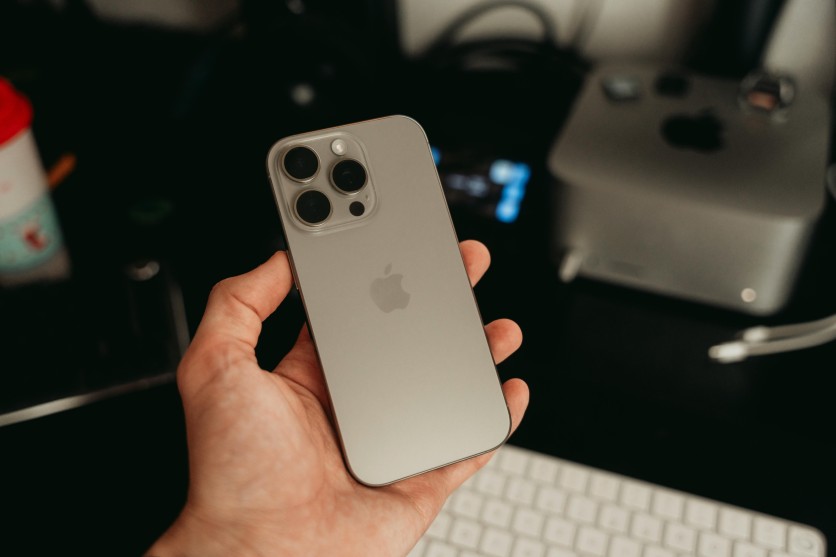
iPhone battery health naturally declines over time, but how fast it drops depends heavily on daily habits. Lithium-ion batteries age with every charge cycle, heat spike, and background process running unnoticed. The good news is that Apple builds in tools that make battery care far easier than it used to be.
By understanding how charging behavior, display settings, and software management affect power consumption, users can slow battery wear and preserve performance. Small changes—like limiting full charges or reducing background activity—add up over years of use. With the right setup, an iPhone can stay efficient, responsive, and reliable well beyond its first battery milestone.
iPhone Battery Health: Optimized Charging Practices
iPhone battery health is most affected by how often and how long the battery stays near full charge. High voltage and excess heat accelerate chemical aging inside lithium-ion cells. Apple's charging tools are designed to reduce this stress without sacrificing convenience.
- Optimized Battery Charging reduces voltage strain: Found under Settings > Battery > Charging, this feature learns daily routines and pauses charging at 80% until just before unplugging.
- Charge Limit settings prevent unnecessary full cycles: On newer models, caps at 80%, 85%, or 90% reduce time spent at maximum voltage.
- Avoid frequent deep discharges: Keeping the battery between 20% and 80% significantly slows long-term wear compared to full swings.
- Slower charging generates less heat: Using lower-wattage chargers overnight is gentler than repeated fast-charge peaks.
- Certified cables protect battery chemistry: MFi-approved chargers prevent voltage irregularities that damage cells over time.
Extend iPhone Battery Life: Display and Background Controls
Extend iPhone battery life by managing the screen and background processes, which account for most daily power drain. Displays, radios, and background syncing quietly consume energy even when the phone appears idle. Tightening these settings delivers immediate and long-term gains.
- Auto-Brightness adapts power use: Enabled under Display & Brightness, it reduces unnecessary brightness and saves significant daily drain.
- Dark Mode benefits OLED displays: Black pixels use no power, cutting display consumption during messaging, browsing, and reading.
- Always-On Display impacts standby time: Turning it off on Pro models prevents steady background drain when the phone isn't in use.
- Background App Refresh limits hidden activity: Restricting it reduces location updates, streaming syncs, and idle CPU usage.
- Low Power Mode stretches endurance: It reduces background tasks, visual effects, and push services during travel or long days.
Read more: iOS Productivity Features: 15 iPhone Tips and iOS Hidden Tools That Supercharge Your Daily Workflow
Battery Care Tips: Temperature and Software Management
Battery care tips often focus on charging, but temperature and software behavior matter just as much. Heat is the fastest way to degrade lithium-ion cells, while inefficient software quietly drains capacity. Keeping both under control preserves health and performance.
- Avoid charging in high heat: Direct sunlight, gaming while charging, or insulated cases trap heat and accelerate aging.
- Stay within optimal temperature ranges: iPhones perform best between 32°F and 95°F, outside of which performance may be limited.
- Update iOS regularly: System updates fix inefficient processes that cause background drain and thermal spikes.
- Restart weekly to clear memory leaks: A simple reboot prevents runaway processes that waste power invisibly.
- Limit precise location access: Switching apps to approximate location reduces constant GPS usage and saves battery.
Accessory and Usage Habits That Protect Battery Health
iPhone battery health is also shaped by accessories and daily usage patterns. Small choices—like charger quality or wireless habits—can quietly influence long-term degradation. Consistency matters more than perfection.
- Use certified MagSafe chargers: Proper alignment reduces heat buildup common with cheap wireless coils.
- Enable Airplane Mode strategically: Flights, weak signal areas, or offline periods drain far less power with radios disabled.
- Review battery usage analytics: Identifying power-hungry apps helps eliminate background drains.
- Reduce haptic intensity: Lower vibration strength cuts energy used by motors during notifications.
- Offload unused apps: Removing inactive software reduces background indexing and storage strain.
How to Keep Your iPhone Battery Healthy for Years
An iPhone battery doesn't fail suddenly—it wears down gradually based on everyday choices. Charging habits, display settings, heat exposure, and background activity all influence how quickly capacity declines. Managing these factors keeps performance smooth and reliable.
With optimized charging, thoughtful settings, and heat-aware usage, battery health can remain high far longer than expected. The goal isn't perfection, but consistency. Over time, these small adjustments protect both battery lifespan and the overall iPhone experience.
Frequently Asked Questions
1. What percentage should I keep my iPhone battery between?
Keeping the battery between 20% and 80% reduces chemical stress. Full charges increase voltage strain on lithium-ion cells. Deep discharges also accelerate wear. Staying within this range extends long-term health.
2. Does fast charging damage iPhone batteries?
Fast charging itself is safe, but repeated heat spikes contribute to aging. iPhones slow charging automatically as temperatures rise. Using fast chargers occasionally is fine. Constant high-wattage charging is less ideal.
3. Is it bad to leave my iPhone charging overnight?
With Optimized Battery Charging enabled, overnight charging is much safer. The phone pauses at 80% until it predicts unplug time. Without optimization, prolonged full charge can increase wear. Enabling the feature is strongly recommended.
4. When should I replace my iPhone battery?
Apple designs batteries to retain about 80% capacity after 500 charge cycles. Below that, performance may be reduced. If daily usage becomes inconvenient, replacement restores original performance. Battery replacement is often more cost-effective than upgrading devices.
ⓒ 2026 TECHTIMES.com All rights reserved. Do not reproduce without permission.


