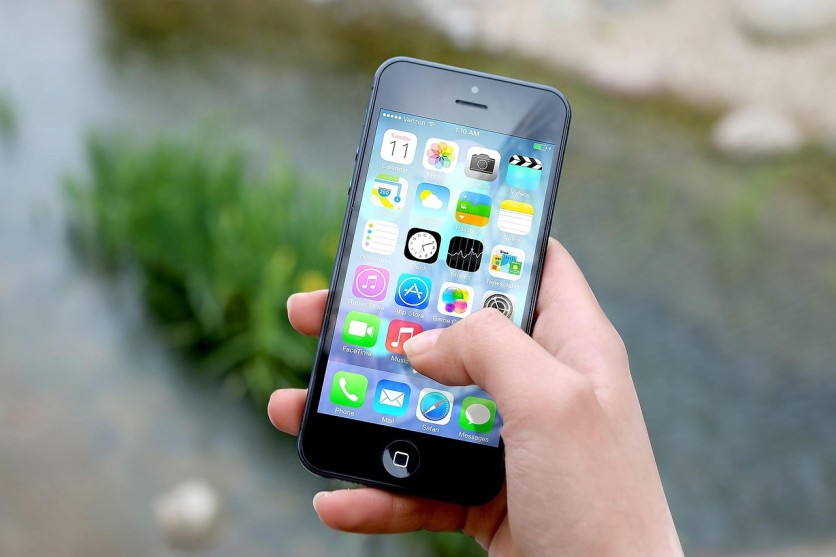
Modern smartphones hold an arsenal of hidden phone features that most users never discover.
While millions rely on their devices for calls, texts, and social media, they're missing powerful built-in tools that can scan documents, detect metal, translate foreign languages, and even help in emergencies. These secret capabilities transform an ordinary phone into a versatile toolkit that rivals specialized gadgets.
Transform Your Phone Into a Document Scanner
The document scan feature eliminates the need for bulky scanning equipment. iPhone users access this through the Notes app by tapping the camera icon and selecting "Scan Documents," while Android users find similar functionality in Google Drive.
The technology automatically detects edges, corrects perspective, and converts physical papers into crisp PDF files, perfect for capturing receipts, contracts, business cards, and forms while traveling or working remotely.
Use Your Phone as a Magnifier
Smartphones include accessibility features that turn the camera into a powerful magnifying glass. On iPhones, activate this through Settings > Accessibility > Magnifier.
Android devices offer similar functionality through camera zoom or dedicated magnifier modes in accessibility settings. This hidden phone feature helps read tiny print on medicine bottles, restaurant menus, product labels, and warranty information without carrying separate magnifying tools.
Instant Foreign Language Translator in Your Pocket
The translator function built into modern smartphones eliminates language barriers with remarkable accuracy. Point your camera at foreign text on signs, menus, or documents, and the phone overlays translations in real-time using Live Text or Google Lens technology.
Voice translation modes enable two-way conversations by speaking into the phone and receiving instant spoken translations in dozens of languages, transforming international travel and communication.
The Secret Back Tap Shortcuts Feature
Back tap shortcuts represent one of the most convenient yet underutilized hidden phone features available. iPhone users access this by navigating to Settings > Accessibility > Touch > Back Tap, where they can assign double-tap and triple-tap actions to the back of the device. Android phones offer similar functionality through Settings > Gestures.
Customize these taps to trigger screenshots, launch the flashlight, open apps, adjust volume, or activate voice assistants, all without touching the screen.
Turn Your Phone Into a Metal Detector
The magnetometer sensor originally designed for compass navigation doubles as a functional metal detector. Third-party apps leverage this sensor to detect ferromagnetic metals like iron and steel.
While not as powerful as professional detectors, this capability helps locate studs behind walls before hanging pictures, find lost keys in snow, or detect hidden screws in furniture.
Hidden Battery Test and Optimization Tools
Advanced battery test diagnostics hide within smartphone settings, providing detailed insights into power consumption. iPhone users find battery health percentages under Settings > Battery, revealing which apps drain power.
Android devices provide similar data through Settings > Battery > Battery Usage. These tools identify battery-draining culprits, suggest optimization actions, and display estimated time remaining, helping extend daily battery life without third-party apps.
Read more: OnePlus Ace 6 Ultra Brings 'Metal Storm' Design Ahead of April 28 Launch With 165Hz Gaming Focus
AI Tricks Your Phone Can Do
Artificial intelligence capabilities embedded in smartphones unlock creative and practical AI tricks. Modern photo editing tools use AI to remove unwanted objects from pictures and enhance portrait effects.
Smart text recognition extracts phone numbers, addresses, and emails from images for immediate action. Voice-to-text transcription captures meeting notes accurately, and some users photograph their refrigerator contents to ask AI assistants for recipe suggestions.
Emergency Tools That Could Save Your Life
Lifesaving emergency tools remain hidden until users configure them properly. Emergency SOS activates by rapidly pressing the side button five times on iPhones or the power button multiple times on Android devices, automatically calling emergency services and notifying designated contacts with location information.
Medical ID displays critical health information, blood type, allergies, medications, emergency contacts, on the lock screen without requiring a passcode, allowing first responders to access vital data during medical emergencies.
Additional Features Worth Exploring
Screen pinning locks your phone to a single app when handing it to others, preventing unwanted snooping. One-handed mode shrinks the display area on larger phones for easier thumb navigation.
Quick camera shortcuts bypass the lock screen, double-pressing the power button on Android phones or swiping left on iPhones. AR measuring tape functionality uses augmented reality to measure real-world objects through the camera, eliminating physical measuring tools.
Unlock Your Smartphone's Full Potential
Smartphones contain dozens of powerful hidden phone features that most owners never utilize, from document scan capabilities and metal detector functions to battery test diagnostics and emergency tools. The back tap shortcuts feature saves time, while the built-in translator and magnifier eliminate the need for separate devices.
Exploring these AI tricks and accessibility options transforms phones from communication devices into comprehensive problem-solving tools. Most users tap into barely 10 percent of their device's true capabilities, discovering these hidden features reveals the remarkable versatility hiding in every pocket.
Frequently Asked Questions
1. Do hidden phone features work on older smartphones?
Most hidden phone features like document scan, magnifier, and translator require iOS 12 or later for iPhones and Android 9.0 or newer for Android devices. Older phones may lack the necessary sensors for metal detector functionality or back tap shortcuts, but basic features like battery optimization tools are available on most devices from the past five years.
2. Can using multiple hidden features at once slow down my phone?
Running several resource-intensive features simultaneously, like real-time translation while using AR measuring tools, can temporarily slow performance on phones with limited RAM. However, most hidden phone features activate only when needed and don't run continuously in the background, so normal usage of document scanning, magnifier, or back tap shortcuts won't impact overall phone speed.
3. Are third-party apps required to access these hidden features?
Most hidden phone features are built directly into iOS and Android operating systems without requiring downloads. Document scanning, magnifier, translator, emergency SOS, back tap shortcuts, and battery diagnostics are native features accessible through settings. Only metal detector functionality typically requires downloading a third-party app to activate the magnetometer sensor.
4. Will enabling emergency SOS accidentally call 911 if pressed by mistake?
Modern smartphones include safeguards against accidental emergency calls. After pressing the side button five times (iPhone) or power button repeatedly (Android), phones display a countdown screen with an audible alert before actually placing the emergency call, giving users several seconds to cancel if activated unintentionally.
ⓒ 2026 TECHTIMES.com All rights reserved. Do not reproduce without permission.


