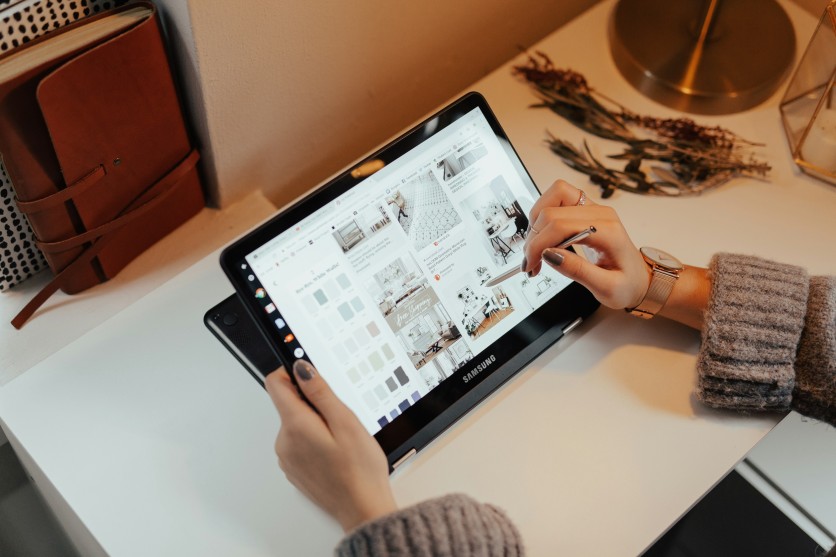
Tablets with stylus support have become essential tools for productivity, creativity, and learning, making them some of the most in-demand devices in 2026.
The rise of advanced tablets with stylus has reshaped how students take notes, how artists create digital illustrations, and how content creators manage workflows across different platforms. With so many best tablets available today, choosing the right model depends on understanding performance, stylus responsiveness, and long-term usability.
For tablets for students, tablets for artists, and tablets for content creators, the focus has shifted toward devices that balance portability with power. Models like the Samsung Galaxy Tab S11 Ultra, Apple iPad Air M4, and Microsoft Surface Pro 12 highlight how stylus-enabled devices are no longer just accessories but core productivity tools.
This makes comparing options like the Apple iPad 11, Lenovo Idea Tab Pro, and Apple iPad Pro M5 essential for anyone planning a long-term investment in digital learning or creative work.
Best Tablets With Stylus For 2026
Tablets with stylus support have become essential tools for productivity, creativity, and everyday digital tasks in 2026. The best models now offer improved performance, precise pen input, and versatile features that cater to students, artists, and professionals alike.
- Samsung Galaxy Tab S11 Ultra: This model delivers a large, high-quality display paired with strong stylus responsiveness for writing and drawing. It is designed for users who want a premium experience in productivity and creative tasks. It typically features a high-refresh AMOLED display, flagship-grade processor, and S Pen support for precise input.
- Apple iPad 11: The Apple iPad 11 is a reliable everyday option for note-taking, classes, and general school use. It offers smooth performance and strong software support for academic needs. It is powered by Apple's efficient chip with long battery life and Apple Pencil compatibility for seamless learning.
- Lenovo Idea Tab Pro: This tablet is a budget-friendly choice that still provides solid stylus support for productivity tasks. It is ideal for users who want functionality without high cost. It commonly includes a large display, mid-range processor, and Android-based multitasking features.
- Samsung Galaxy Tab S10 Lite: A lighter and more affordable entry in Samsung's stylus ecosystem, this model is built for everyday learning. It balances performance and portability for school environments. It generally comes with an S Pen, decent mid-range chipset, and long-lasting battery.
- XPPen Magic Note Pad: This device focuses heavily on writing and sketching experiences with a pen-first approach. It is suited for users who prioritize handwriting and creative note-taking. It typically features an e-ink or paper-like display, stylus precision tech, and minimalist note-focused software.
- Apple iPad Air M4:: The iPad Air M4 delivers strong performance for drawing, editing, and creative workflows. It sits in the middle range between standard and pro-level Apple devices. It is powered by the M-series chip with Liquid Retina display and Apple Pencil Pro support.
- Microsoft Surface Pro 12: This hybrid device blends tablet portability with laptop-style productivity features. It is ideal for users who want multitasking and desktop-like flexibility. It runs full Windows OS with detachable keyboard support and Intel/ARM-based performance options.
- Apple iPad Pro M5: A premium choice for high-end creative work, offering top-tier performance and display quality. It is built for professionals who need power for demanding applications. It features an advanced M-series chip, ProMotion display, and Apple Pencil Pro integration for precision workflows.
What Students Should Look For
Tablets need to balance portability, battery life, and smooth note-taking performance. A good stylus tablet should be lightweight, last through a full school day, and support handwriting without lag or interruption. When comparing tablets with stylus, students benefit most from devices with clear displays, reliable software updates, and affordable accessory support. These factors help ensure the device remains useful for long-term academic use.
Students also rely heavily on multitasking features to manage schoolwork efficiently. Switching between notes, PDFs, research tabs, and online classes is often more important than raw processing power. Stylus quality also plays a key role, with pressure sensitivity, palm rejection, and low latency improving handwriting comfort. A responsive stylus makes studying easier and helps maintain accuracy during lectures and assignments.
What Artists And Creators Need
Tablets for artists require more advanced performance than basic note-taking devices. Drawing quality depends on display accuracy, refresh rate, stylus precision, and app compatibility. When comparing tablets with styluses, these creative factors often matter more than general hardware specifications. A responsive and accurate drawing experience is essential for producing detailed and professional-level artwork.
Content creators need even more flexibility from their devices for sketching, editing, and managing multimedia projects. Tablets like the Samsung Galaxy Tab S11 Ultra, Apple iPad Air M4, and Apple iPad Pro M5 are often considered among the best tablets for creative work.
Ecosystem choice also matters, as users may prefer Apple, Samsung, or Microsoft depending on workflow needs. The right option depends on whether the user values precision, app variety, or multitasking freedom.
Choosing The Right Stylus Tablet In 2026
The best tablets with stylus in 2026 depend on how they are used, whether for studying, drawing, or professional content creation. For tablets for students, models like the Apple iPad 11, Lenovo Idea Tab Pro, and Samsung Galaxy Tab S10 Lite provide practical and affordable options.
For tablets for artists and creators, premium devices such as the Samsung Galaxy Tab S11 Ultra, Apple iPad Air M4, Apple iPad Pro M5, and Microsoft Surface Pro 12 stand out for performance and creative flexibility. Across all best tablets, stylus quality, display performance, and long-term usability remain the most important factors when choosing the right device.
Frequently Asked Questions
1. What is the best tablet with a stylus for students in 2026?
The Apple iPad 11 and Samsung Galaxy Tab S10 Lite are strong choices for students. They offer reliable stylus support and good performance for note-taking and schoolwork. These devices are also easy to carry and use daily in class. Affordability and software support make them practical long-term options.
2. Which tablets are best for artists and digital drawing?
The Samsung Galaxy Tab S11 Ultra, Apple iPad Air M4, and Apple iPad Pro M5 are top choices for artists. They offer high display accuracy and responsive stylus input. These features are important for detailed illustration and design work. They also support professional creative apps.
3. Do expensive tablets always offer better stylus performance?
Not always, as stylus performance depends on optimization as well as hardware. Some mid-range tablets provide excellent writing and drawing experiences. However, premium models usually offer better latency and display quality. The best choice depends on user needs rather than price alone.
4. Is a Windows tablet better than an iPad or Android tablet?
Windows tablets like the Surface Pro 12 are better for desktop-style productivity. iPads excel in creative apps, while Android tablets offer more flexibility. Each platform has strengths depending on the user's workflow. The right choice depends on whether the focus is work, art, or study.
ⓒ 2026 TECHTIMES.com All rights reserved. Do not reproduce without permission.


