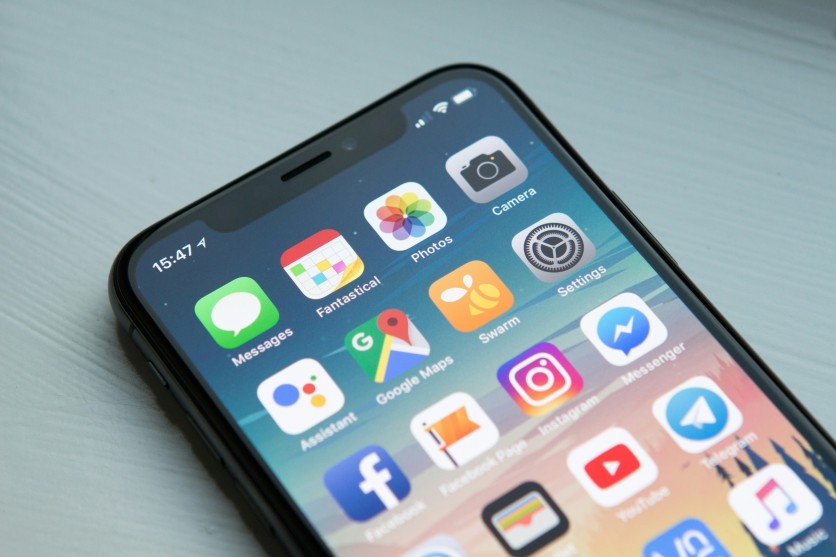
Mobile app usage has become a normal part of daily life, but smartphone privacy is often far more limited than most users expect. Many people assume that apps only collect basic account details, yet modern smartphone data tracking goes much deeper, covering behavior, location, voice input, and even interaction habits.
Popular platforms like Facebook, Instagram, YouTube, and Amazon Alexa are built to function through constant data exchange, which makes app privacy an important topic even for casual users.
What makes this issue more significant is how naturally apps tracking your activity blend into everyday routines. From scrolling social media to ordering food or using voice assistants, personal data is constantly processed in the background.
Even when users are not actively engaging with a mobile app, data collection can still continue. Understanding how this system works helps users make better decisions about smartphone privacy without needing to stop using the tools they rely on.
Everyday Apps That Collect More Than Expected
Many mobile app users do not realize how much personal data is collected during everyday use. Popular platforms often go beyond basic features and quietly engage in smartphone data tracking in the background. These apps tracking your activity can gather everything from behavior patterns to location and usage habits.
- Facebook – One of the most data-heavy mobile apps, Facebook tracks interactions, social connections, browsing behavior, and ad engagement to build detailed user profiles.
- Instagram – Instagram collects engagement data, viewing habits, saved content, and interaction patterns, making it a major part of Meta's smartphone data tracking ecosystem.
- Threads – Threads are linked directly to Instagram accounts, meaning personal data and activity can be shared across platforms under the same ecosystem.
- Amazon Alexa – Alexa processes voice commands and device usage, storing interactions that help improve responses but also raise app privacy concerns.
- Amazon Shopping – This mobile app tracks browsing history, purchase behavior, and product interests to personalize recommendations and ads.
- YouTube – YouTube records watch history, searches, and engagement patterns, making it one of the most active apps tracking your activity.
- X (formerly Twitter) – X collects feed interactions, posts, engagement behavior, and advertising data tied to user activity.
- PayPal – As a financial mobile app, PayPal handles sensitive personal data such as transactions, payment history, and identity-linked information.
- Uber – Uber relies heavily on real-time location tracking, storing trip routes, pickup points, and movement history.
- Uber Eats – Uber Eats gathers delivery addresses, order history, and behavioral data tied to food preferences and location activity.
Read more: WiFi Networks Can Identify Individuals With 99.5% Accuracy, Researchers Warn of Privacy Risks
What These Apps Usually Collect
The main issue in smartphone data tracking is not a single type of information, but the combination of many small data points. A mobile app can collect names, emails, phone numbers, contacts, location, device IDs, browsing history, and sometimes voice recordings. When combined, these details build a detailed profile of user behavior and preferences across different platforms.
Many apps tracking your activity also gather hidden data from everyday use. Streaming apps track watch time, shopping apps monitor browsing even without purchases, and ride apps record movement patterns over time. This creates a constant flow of personal data. Some apps also share information with advertisers and partners, making smartphone privacy harder to fully control.
How To Reduce Tracking Without Deleting Everything
Improving app privacy does not require deleting every mobile app, but it does require careful permission control. Many apps request access to location, contacts, microphone, and photos even when it is unnecessary. Setting permissions to "while using the app" can quickly reduce smartphone data tracking and limit unwanted access to personal data.
Users can also reduce exposure by turning off background location access and disabling ad personalization settings. These small changes help limit how apps tracking your activity continue collecting data when not in use. Reviewing which mobile apps truly need constant access to sensors also improves control, creating better smartphone privacy without affecting everyday usability.
Better App Privacy Starts With Small Checks
The most important takeaway is that the most commonly used mobile apps often collect the most personal data because they are deeply integrated into daily life. Platforms like Facebook, Instagram, YouTube, and Amazon Alexa show how smartphone data tracking is embedded into normal usage rather than acting as a separate process. For users concerned about app privacy and smartphone privacy, awareness is the first step toward control.
Simple actions like adjusting permissions, limiting background access, and reviewing data-sharing settings can significantly reduce exposure. Apps tracking your activity will continue to exist, but users can decide how much personal data they allow to be collected. With consistent small adjustments, it is possible to keep using essential mobile apps while maintaining better control over privacy.
Frequently Asked Questions
1. Why do mobile apps collect so much personal data?
Mobile apps collect personal data to improve performance, personalize content, and support advertising systems. Smartphone data tracking helps platforms understand user behavior and preferences. This allows apps to deliver more relevant recommendations and features. However, it also increases the amount of stored and analyzed personal data.
2. Which apps track the most user activity?
Apps like Facebook, Instagram, YouTube, Amazon Alexa, and Uber are known for heavy data collection. These apps tracking your activity gather engagement, location, voice, and behavioral data. Financial and shopping apps also collect sensitive personal information. The level of tracking depends on permissions and usage.
3. Can I improve smartphone privacy without deleting apps?
Yes, users can improve smartphone privacy by adjusting app permissions and limiting background activity. Turning off unnecessary access to location, microphone, and contacts reduces data collection. Disabling ad tracking also helps limit profiling. These changes allow continued use of mobile apps with less exposure.
4. Is app tracking always harmful to users?
App tracking is not always harmful since it can improve personalization and user experience. However, concerns arise when personal data is shared widely or used without clear awareness. App privacy depends on how data is collected, stored, and shared. Users benefit most when they actively manage settings and permissions.
ⓒ 2026 TECHTIMES.com All rights reserved. Do not reproduce without permission.


