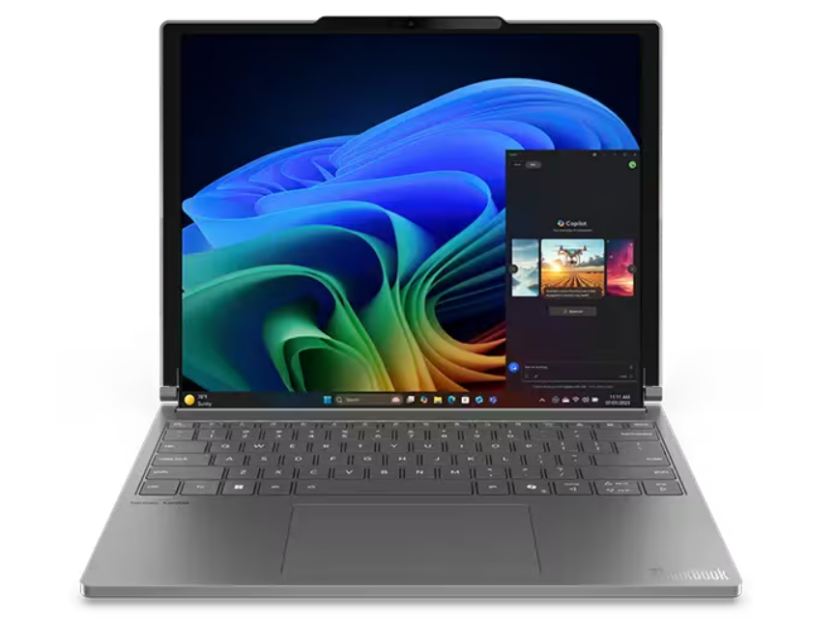
Rollable laptops are moving from eye‑catching prototypes to practical devices, blending flexible displays with smart software so a screen can literally unroll on demand. These designs hide part of the display inside the chassis and extend it when needed, giving users a compact laptop that can transform into a larger canvas without adding a second monitor.
This mix of rollable OLED hardware, motorized screens, and adaptive screen software is quietly redefining what a "portable" computer can be.
What Are Rollable Laptops?
Rollable laptops are portable computers that use a flexible display able to extend beyond the traditional lid size, often by unrolling vertically from behind the keyboard or inside the lid.
Instead of a fixed rectangle, the screen height can grow when the user presses a button or triggers a gesture, revealing extra space that retracts into the chassis when no longer needed. The main difference from regular laptops is that the display is not a rigid panel but a bendable, rollable OLED sheet wrapped around an internal spindle.
Unlike foldable laptops, which rely on a hinge and two rigid sections, rollable laptops keep the display in one continuous piece. The extra portion stays hidden until a motorized mechanism rolls it out into view.
This approach aims to offer a larger workspace without the visible crease associated with some foldables and without carrying a separate external display.
How Flexible Displays and Rollable OLED Make It Possible
At the heart of rollable laptops are flexible displays based on OLED technology. A flexible OLED panel replaces the glass in conventional screens with thin plastic or composite substrates, allowing the display to bend and roll without cracking.
The electronics that drive each pixel are implemented as thin‑film transistors on these bendable layers, so the whole stack can withstand repeated flexing.
Rollable OLED is tuned specifically for repeated rolling, not just occasional bending. Layer thickness, bending radius, and protective coatings are optimized to resist micro‑cracks and visible artifacts over thousands of roll and unroll cycles.
Because each pixel emits its own light, there is no rigid backlight, which makes rolling feasible and helps with power efficiency when showing darker content on the extended area.
Inside the Motorized Screens Mechanism
The mechanical core of rollable laptops is a compact motorized screens system hidden in the lid or base. The unused portion of the rollable OLED wraps around a small spindle inside the chassis, similar to a scroll. When users want more screen space, a small electric motor turns the spindle to unroll the flexible display upward or outward.
Guides and tensioning systems keep the panel flat and aligned as it moves. Sensors track the screen's position so the mechanism stops at predefined points, such as "standard" and "extended" modes.
Safety logic can halt or reverse the motor if unusual resistance is detected, protecting the flexible display from damage. With this in place, rollable laptops can shift from a familiar 14‑inch‑style view to a taller layout that gives roughly a third more vertical space at the press of a button.
How Adaptive Screen Software Responds
Hardware alone cannot deliver a smooth experience; adaptive screen software makes rollable laptops feel natural.
As the motorized mechanism moves, system firmware and the operating system monitor the panel's current size and resolution. When the display finishes unrolling, the software updates the active screen dimensions and informs the window manager that new space has appeared.
This can trigger automatic rearrangement of windows and interface elements. Toolbars, timelines, and side panels can move into the extra region, keeping core content centered instead of simply stretching everything.
Applications that use APIs for dynamic screen layouts can switch between compact and extended arrangements without user intervention. To the user, the interface seems to "grow" with the rollable OLED, rather than forcing manual window juggling.
Read more: Dual‑Screen and Tri‑Screen Laptops: Are Folding and Slide‑Out Displays Actually Useful for Work?
Power, Thermals, and Everyday Use
Extending a display increases the number of active pixels, which affects both power draw and heat.
In rollable laptops, power‑management firmware often coordinates with adaptive screen software to apply subtle adjustments in extended mode, such as brightness tuning and background‑task throttling. This helps keep battery life reasonable even when the larger area is in use.
Thermal design must also account for the stored segment of the flexible display. Vent placement, heat pipes, and airflow paths are designed so the spindle region does not overheat when the device runs for long periods. The goal is to keep the entire device comfortable to touch whether the rollable OLED is fully extended or rolled away.
From the user's perspective, interaction should feel straightforward. Most designs use a physical button, keyboard shortcut, or software toggle to extend or retract the screen. Some concepts experiment with gesture control, but the guiding principle is that rolling the screen out should feel as easy and predictable as opening a lid.
Why Rollable Laptops Matter for Productivity
Rollable laptops promise a practical balance between portability and workspace. In compact mode, they fit easily into bags and work on small tables.
When more room is needed for timelines, multiple documents, or dashboards, the user can extend the display and treat the extra area like a built‑in second monitor. The extra vertical space is particularly helpful for reading long documents, viewing code, or scanning spreadsheets with fewer scrolls.
Because the screen remains a single piece, there is no bezel gap or alignment hassle. Adaptive screen software can dedicate the added region to secondary panels, chat windows, or reference material while keeping primary work in the central area.
For people who move frequently between locations but still need serious multitasking, rollable laptops can offer many of the benefits of a dual‑monitor setup without the bulk.
Rollable Laptops and the Future of Flexible Displays
Rollable laptops show how far flexible displays and rollable OLED technology have come, combining them with precise motorized screens and increasingly intelligent adaptive screen software.
As manufacturers refine durability and more apps support dynamic layouts, these devices are likely to become a realistic option for users who want more screen in less space.
For those watching the evolution of personal computing, rollable laptops point to a future where the display is no longer a fixed rectangle but a flexible resource that can expand or shrink to match the task at hand.
Frequently Asked Questions
1. Are rollable laptops more fragile than regular laptops?
Rollable laptops use reinforced flexible displays and tested mechanisms, but they still tend to be more delicate than traditional glass‑screen laptops. Users should avoid twisting, pressing hard on the screen, or exposing it to dust and debris around the rolling area.
2. Can rollable laptops be repaired if the rolling mechanism fails?
Repairs are possible, but they are typically more complex and specialized than fixing a standard hinge or display. In many cases, the entire rolling module or display assembly may need replacement, which can be expensive and must be done by authorized service centers.
3. Do rollable laptops support external monitors and docks?
Yes, most designs aim to support common connectivity standards like USB‑C or Thunderbolt, so they can still drive external monitors and docks. The rollable screen functions as an additional built‑in option rather than replacing traditional multi‑monitor setups.
4. Will rollable laptops run the same apps as regular laptops?
They run the same operating systems and applications as comparable traditional laptops. The main difference is that some apps can take advantage of the changing screen size by rearranging panels or showing more information when the display is extended.
ⓒ 2026 TECHTIMES.com All rights reserved. Do not reproduce without permission.


