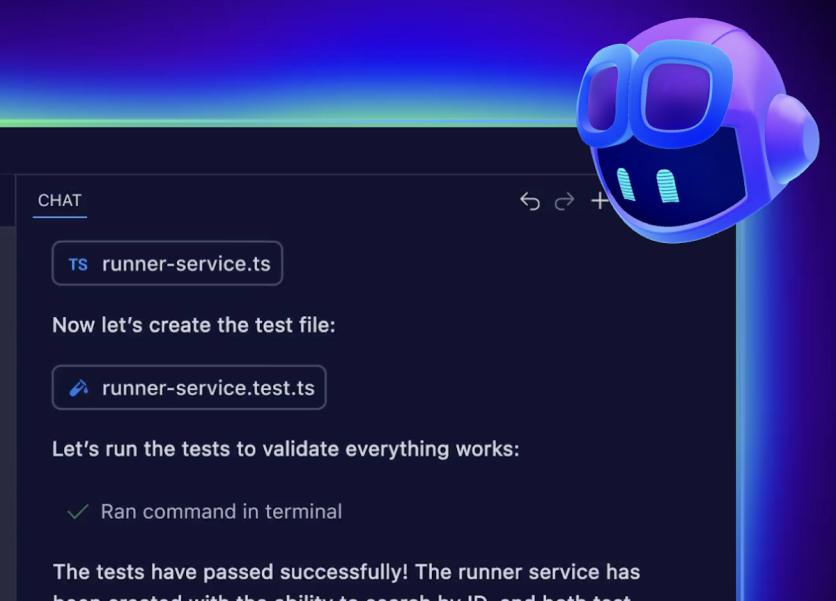
Microsoft shipped SQL Server Management Studio 22.7.0 on Wednesday, June 10, 2026, in what the team called one of the bigger point releases in the 22.x cycle. Database developers who have spent years reaching for a third-party formatter or a separate IDE to get agentic AI assistance can now find both inside SSMS — no additional components required, with caveats.
The caveats matter. The two headline additions — native T-SQL formatting and Agent Mode for GitHub Copilot — both ship as previews, not as generally available features. So does graphical schema compare. Microsoft is treating 22.7 as a broad feedback collection sprint: three significant features, three preview labels, and an explicit invitation for the database development community to shape what ships GA. The update is available now via the standard SSMS download or the in-product update prompt. Microsoft's full release notes are available on the SSMS 22.7.0 release announcement.
T-SQL Formatting Lands on ScriptDOM
For as long as SSMS has existed, consistent query indentation has required either a third-party add-in or a round-trip to an external formatter. SSMS 22.7 ends that: right-click inside any T-SQL editor window and select Format SQL from the context menu. No extensions. No add-ins. No round-trips.
The formatter is built on ScriptDOM — the open-source .NET library for T-SQL parsing, also known as SqlScriptDOM, that Microsoft maintains on GitHub. That technical lineage matters: ScriptDOM is the same parser used in the SQL Server engine's own T-SQL compilation path, which means the formatter's understanding of T-SQL syntax is authoritative rather than approximated. The feature supports keyword casing (uppercase, lowercase, or PascalCase), configurable indentation size, automatic semicolons after statements, and clause line-breaking for FROM, WHERE, and JOIN blocks. Alignment options handle column definitions and SET clause items; multi-line list options control whether SELECT columns, WHERE predicates, and INSERT values each get their own line.
For teams using SQL projects under the Database DevOps workload, the formatter also integrates with "Format on Save": every .sql file in a project auto-formats on write, applying the configured ruleset without a separate manual step. That makes code reviews and pull requests against SQL project files consistently formatted at source, not inconsistently formatted by whoever last opened the file. The feature is in preview, and Microsoft has opened a feedback channel via Help > Send Feedback inside SSMS for requests about additional formatting behaviors.
Copilot Agent Mode: Agentic AI in the Database IDE
The second major addition is Agent Mode for GitHub Copilot — the same multi-step autonomous paradigm that reshaped how developers work in VS Code, now arriving in the database toolchain. In standard Copilot mode, the assistant responds to a single prompt and waits. In Agent Mode, it follows a Reason → Act → Observe loop: plan a multi-step task, execute a step, inspect the result, and iterate until the goal is reached — no separate prompt for each action.
The architectural detail that database administrators will care about most is the permission model. Agent Mode in SSMS runs under the user's existing SQL Server login credentials. It cannot execute any statement the authenticated user could not execute manually. The mode defaults to read-only, meaning Copilot can generate and propose data-modifying or schema-changing statements but requires explicit user confirmation before executing write operations. That read-only default was a deliberate engineering response to a real community concern: practitioners evaluating Copilot in SSMS had identified accidental destructive commands as a top risk. The default posture addresses it at the architecture level rather than with a UI warning.
The execution context for Agent Mode is configured using database instructions stored as SQL extended properties. Per-object instructions use the AGENTS.md format — added via sp_addextendedproperty with the property name AGENTS.md — allowing database owners to embed business rules, canonical table definitions, and organizational naming conventions directly in the database metadata. A separate CONSTITUTION.md property sets a database-wide instruction that takes highest precedence for all Copilot interactions. When Agent Mode initializes, it auto-discovers these instructions at runtime and applies them as context to every prompt, so suggestions reflect domain-specific standards rather than generic T-SQL patterns. Instructions persist across sessions and are available to any user with access to the same database.
Copilot requires a GitHub account with Copilot access — the Microsoft 365 Copilot subscription is a separate, unrelated product and does not apply. The integration is installed separately as the AI Assistance workload via the Visual Studio Installer. Agent Mode is in preview.
Schema Compare Arrives Without Leaving SSMS
The third major preview in 22.7 is graphical schema compare — a workflow that previously required SQL Server Data Tools or a third-party utility. The feature allows developers to compare two database definitions, where source and target can be any combination of a connected database, a SQL project, or a .dacpac file.
The interface mirrors a git-diff view: differences are grouped by action type — adds, changes, and deletes — with per-line T-SQL diffs available in side-by-side or inline display. Developers can selectively include or exclude individual objects before generating an update script or applying changes directly to the target. Comparison definitions save as .scmp files, making recurring comparisons — such as syncing a development database against a SQL project — a repeatable, single-click operation. Schema compare joins SQLCMD variable support in the 22.7 Database DevOps expansion: the publish dialog now surfaces SQLCMD variables that allow the same project to deploy to dev, test, and production with different environment-specific values set at deploy time.
How the Database IDE Gap With VS Code Now Looks
The database IDE has historically lagged general-purpose editors like VS Code in AI integration. SSMS 22.x runs on the Visual Studio 2022 Isolated Shell, which is the infrastructure that made GitHub Copilot integration possible. Code completions and Copilot Chat reached general availability in SSMS 22.4.1 in March 2026. Agent Mode joins as a preview in 22.7.
SQL Server expert Brent Ozar, who reviewed Copilot in SSMS following the 22.4.1 release, put the practical split plainly: code completions "blend in with your existing workflows" and will be the feature most practitioners reach for first, while the chat window "does good work" but is slower and requires a deliberate context switch. Agent Mode extends what Copilot Chat can accomplish — multi-step autonomous workflows — rather than competing with inline completions.
"What's New" Page Replaces Release Note Hunting
A quieter addition rounds out 22.7: an in-product "What's New" page that loads automatically the first time SSMS opens after an update, providing a brief summary of the release's headline features and fixes. The page appears only on update, not on every launch; once dismissed, it does not reappear until the next release. Teams that have missed feature additions across the 22.x point releases — there have been several substantive ones — should find this more efficient than tracking release notes separately.
Frequently Asked Questions
Is T-SQL formatting in SSMS 22.7 generally available?
No. T-SQL formatting ships as a preview in SSMS 22.7, as does Agent Mode for GitHub Copilot and graphical schema compare. Microsoft is collecting feedback before committing to a GA release. The formatter, Agent Mode, and schema compare can all be used today but may change before they leave preview.
How does GitHub Copilot Agent Mode work in SQL Server Management Studio?
Agent Mode follows a Reason → Act → Observe loop, allowing Copilot to plan and execute multi-step database tasks autonomously rather than responding to one prompt at a time. It runs under the user's existing SQL Server login permissions and defaults to read-only mode, so write operations require explicit user confirmation. Database-specific context — business rules, canonical table definitions, naming standards — is embedded via AGENTS.md or CONSTITUTION.md extended properties stored directly in the database, which Copilot auto-discovers at runtime.
Does SSMS 22.7 require a paid GitHub Copilot subscription?
Yes, for GitHub Copilot features including Agent Mode. The AI Assistance workload that enables Copilot must be installed separately via the Visual Studio Installer and requires a GitHub account with an active Copilot subscription. SSMS itself remains free. GitHub offers a free Copilot tier with usage limits. Note that Microsoft 365 Copilot is a separate product and does not unlock SSMS Copilot features.
Where can I download SQL Server Management Studio 22.7?
SSMS 22.7.0 is available now as a free download from the SSMS install page on Microsoft Learn. If SSMS is already installed, the in-product update prompt should offer the upgrade automatically via the Visual Studio Installer.
ⓒ 2026 TECHTIMES.com All rights reserved. Do not reproduce without permission.


