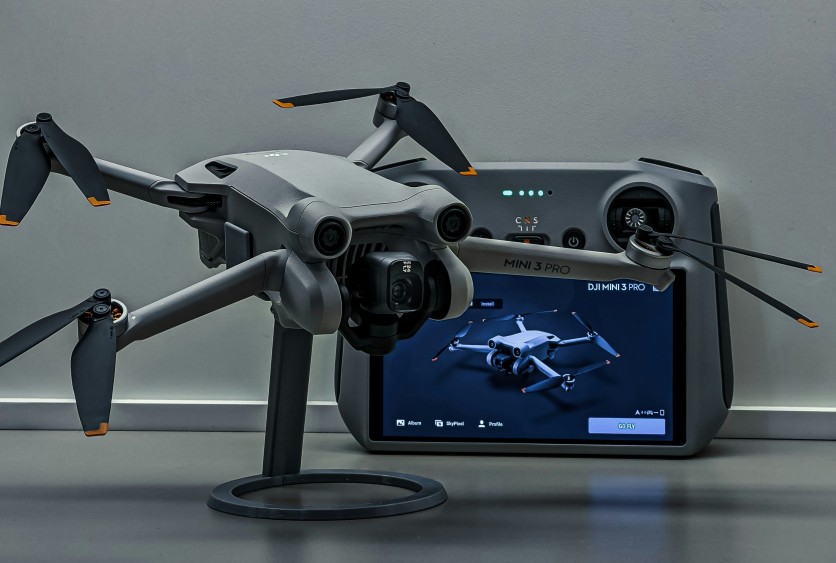
DJI calibration guide is essential for keeping drones stable and responsive during flight. IMU calibration DJI, compass alignment, and gimbal leveling prevent tilt, drift, and unexpected crashes. Properly calibrated drones respond accurately to controller inputs, enhancing safety and improving aerial footage quality. Routine calibration eliminates up to 95% of erratic flight behavior, ensuring professional results for hobbyists and filmmakers alike.
Maintaining your drone also preserves warranty and extends the life of onboard sensors. Drone compass calibration should be done every 30+ miles or after any magnetic interference warning. Following a strict calibration sequence protects your drone from flyaways, unstable hovering, and other hazards, making every flight smoother and safer.
DJI IMU Calibration
DJI IMU calibration aligns the drone's gyroscopes and accelerometers to prevent tilt, drift, and erratic hovering. This calibration is essential for precise sensor readings, especially after firmware updates or post-crash incidents. Completing the six-position sequence ensures stability during advanced flight maneuvers. Neglecting IMU calibration can lead to unpredictable flight behavior and poor gimbal performance.
- Place the drone on a perfectly level surface before starting calibration.
- Rotate through six positions: nose up, nose down, left side down, right side down, forward down, inverted.
- Open DJI Fly app → Safety → IMU Calibration and follow on-screen instructions.
- Perform calibration indoors or in a calm outdoor area to avoid wind interference.
- Check app feedback; any red or yellow alerts indicate recalibration is necessary.
Drone Compass Calibration
Drone compass calibration maintains GPS accuracy and prevents navigation errors caused by magnetic interference. Regular calibration is critical for long-distance flights and new locations. Proper calibration ensures the drone can execute automated flight functions reliably. Skipping this step can result in flyaways, drift, or unstable hovering.
- Perform calibration outdoors, waist-level, with 360° horizontal rotation, followed by vertical nose-down rotation.
- Ensure compass mod values stay within ±500; yellow flashing LEDs require immediate recalibration.
- Avoid calibration near metal structures, power lines, or vehicles; maintain a minimum 10ft clearance.
- Repeat compass calibration after traveling over 30 miles or crossing magnetic zones.
- Proper calibration ensures rapid GPS lock and accurate waypoint navigation.
Gimbal & Controller Calibration
Gimbal and controller calibration complements IMU and compass setup, delivering smooth footage and precise control. Proper gimbal calibration eliminates tilt, drift, and jerky movements. Controller stick calibration ensures responsive inputs during flight. Following the correct calibration order avoids common errors and wasted time in the field.
- Gimbal auto-calibration: flat surface → Camera View → Three Dots → Gimbal Calibration.
- Always calibrate IMU before compass, then gimbal, then controller for optimal results.
- Perform controller stick calibration without connecting the drone, moving sticks through full range.
- Regular calibration maintains camera stability, especially after transport or firmware updates.
- Recalibrate after long-term storage to ensure sensors and sticks respond accurately.
Firmware & Software Updates
Keeping your DJI firmware and app updated is critical for calibration success and smooth flight performance. Firmware updates often include sensor enhancements, bug fixes, and flight stability improvements. Outdated firmware can prevent IMU, compass, or gimbal calibration from completing properly. Integrating updates into your calibration routine ensures optimal drone behavior.
- Always check the DJI Fly app for the latest firmware before flying.
- Update both drone and controller firmware to the latest version simultaneously.
- Restart the drone and app after updates to ensure new settings are applied.
- Test calibration after updates to confirm IMU, compass, gimbal, and controller are functioning correctly.
- Enable automatic notifications in the app for future firmware releases.
Conclusion
Following the DJI calibration guide using IMU calibration DJI, drone compass calibration, and gimbal/controller adjustments ensures consistent, crash-free flights. Proper calibration not only prevents drift, tilt, and GPS errors but also extends the lifespan of sensors and internal components.
Routine maintenance safeguards investments by preventing accidents and reducing warranty claims. Establishing a regular calibration schedule before every major flight or after firmware updates keeps drones performing optimally. By mastering these steps, pilots can confidently capture smooth, professional-quality footage while minimizing risks associated with erratic drone behavior.
Frequently Asked Questions
1. When is IMU calibration DJI required?
IMU calibration is needed post-crash, after firmware updates, or when the drone shows unstable hover. Performing calibration ensures smooth sensor alignment. It prevents unpredictable flight patterns during manual or automated maneuvers. Skipping it can compromise gimbal performance and flight safety.
2. How far can I fly before drone compass calibration is needed?
Compass calibration should be done every 30+ miles or when entering a new location. Magnetic interference or new surroundings can affect readings. Regular calibration guarantees GPS accuracy. This prevents flyaways and unstable automated flight behavior.
3. How do I fix gimbal tilt using DJI calibration guide?
Place the drone on a flat surface and select gimbal auto-calibration in the app. The process takes about 30 seconds to realign tilt and drift. Proper calibration ensures smooth camera motion for video recording. Repeat after transport or firmware updates to maintain optimal performance.
4. Does the calibration order matter?
Yes, always follow: IMU → Compass → Gimbal → Controller. Incorrect order increases failure rates. Following the sequence ensures accurate sensor alignment. Proper order maximizes flight stability and footage quality.
ⓒ 2026 TECHTIMES.com All rights reserved. Do not reproduce without permission.


