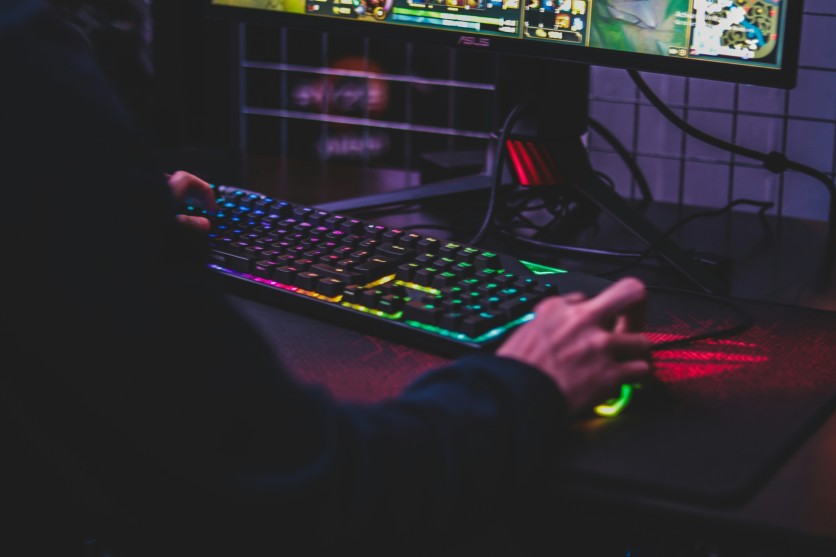
Gaming accessories that improve gaming performance often fly under the radar, overshadowed by flashy RGB keyboards and expensive headsets. Many players overlook tools that enhance frame rates, reduce input lag, and optimize ergonomics, which are essential for both competitive and casual gaming. Underrated gaming gear focuses on functional upgrades rather than aesthetics, providing measurable improvements that elevate gameplay consistency. By investing in well-chosen accessories, gamers can achieve smoother sessions, faster reaction times, and longer-lasting equipment without breaking the bank.
These seven selections cover thermal management, input precision, cable organization, and display calibration, targeting performance bottlenecks that even high-end PCs may encounter. From cooling solutions to analog keyboard tweaks, each item contributes to a seamless gaming experience. Evaluating their impact through benchmarks and real-world scenarios clarifies why these underrated gaming accessories deserve attention. Gamers seeking efficiency, responsiveness, and ergonomics will benefit most by combining multiple tools strategically.
Top 7 Underrated Gaming Accessories
These seven gaming accessories improve performance subtly yet effectively, enhancing FPS stability, input responsiveness, and system reliability. They remain underrated because most guides prioritize peripherals with flashy RGB lighting or brand hype. However, functional upgrades often have a higher return on investment for serious gamers. The following list categorizes them by purpose, demonstrating measurable gains in gameplay and hardware longevity.
- Laptop Cooling Pads with 200mm Fans – Reduce CPU/GPU temps by 15–20°C, sustaining 5–10% higher frame rates in AAA titles.
- Thermal Grizzly Conductonaut Liquid Metal – Lowers hotspot temperatures by ~10°C compared to stock paste, enabling safer overclocks.
- Noctua Desktop Fans – Improve GPU exhaust by 30%, preventing VRM and memory throttling in high-load scenarios.
- Copper Mouse Feet (0.8mm PTFE alternatives) – Cut static friction by ~40%, allowing faster and smoother tracking at 8kHz polling rates.
- Krytox 205g0 Switch Lubricant – Smooths mechanical and optical switches, reducing debounce delay by 2–3ms per keypress.
- Wooting Keyboard with Rapid Trigger – Analog Hall effect sensors provide per-key lift-off distance for FPS precision mimicking raw input.
- Magnetic Cable Organizers with Ferrite Chokes – Reduce USB polling jitter by 5–10ms, stabilizing sensitive mouse and keyboard signals.
Input and Precision Accessories That Elevate Gameplay
Input-focused gaming accessories directly affect response times and control accuracy, critical for competitive shooters and RTS games. Ergonomic enhancements like mouse feet or switch lubrication reduce friction and latency, translating into faster movements and more precise aiming. Analog-capable keyboards allow players to mimic console-like responsiveness, bridging the gap between rapid key presses and raw motion input. These underrated gaming gear choices deliver sub-millisecond advantages that can be the difference in high-level play.
- Analog triggers and rapid-response switches reduce input lag.
- Lubricated switches ensure consistent tactile feedback across thousands of actuations.
- Optimized mouse feet minimize resistance on mousepads for smoother swipes.
- Gaming mice with adjustable DPI curves maintain precision across speeds.
Cable Management, Cooling, and Electrical Stability
Proper cable routing and power management are often underestimated in gaming setups, yet they directly impact stability and performance. Cluttered desks and tangled USB connections introduce micro-latency, signal interference, and unexpected disconnects. Cooling solutions prevent thermal throttling, sustaining peak FPS even during marathon sessions. Electrical accessories like UPS units or right-angle adapters maintain smooth power delivery and preserve hardware longevity.
- UPS with Pure Sine Wave Output – Reduces micro-stutters from voltage dips in rural or unstable grids.
- Right-Angle USB-C Adapters (90° elbow) – Relieve strain on motherboard headers, preventing intermittent peripheral disconnects.
- Custom Monitor Risers and Display Calibration Tools – Maintain ergonomic alignment and DeltaE <2 color accuracy for improved visual feedback.
- Thermal Pads and Case Fans – Ensure airflow optimization and stable internal temperatures during extended sessions.
Conclusion
Gaming accessories that improve gaming performance through underrated gaming gear provide tangible benefits across thermal, input, and electrical domains. They remain overlooked because of flashy peripherals dominating the market, yet functional upgrades often yield higher returns on investment. By combining cooling solutions, analog input enhancements, and cable/power management, gamers achieve more stable frame rates, lower latency, and improved ergonomics. Strategic implementation of these seven tools allows players to optimize PC performance without expensive flagship peripherals, ensuring competitive advantage and longevity for both equipment and gameplay experience.
Frequently Asked Questions
1. What Gaming Accessories Actually Boost FPS?
Hardware cooling like fans and liquid metal paste prevents downclocking under load. Cable management minimizes signal interference. Proper monitor calibration ensures consistent frame rendering. Combined, these accessories maintain higher average FPS and smoother gameplay.
2. Do Underrated Gaming Gear Modifications Void Warranties?
Most surface-level modifications, like switch lubrication or mouse feet replacement, remain reversible. Manufacturers often allow these tweaks as long as no soldering or PCB alterations occur. They typically do not affect hardware guarantees. Always check product guidelines before modifications.
3. Which Accessories Give the Biggest Performance Gains on a Budget?
Cooling pads and switch lubricant kits provide measurable FPS and input improvements. They cost under $50 yet outperform cosmetic upgrades. Cable organizers and right-angle adapters prevent micro-latency. Together, they offer cost-effective performance boosts for casual and competitive gamers.
4. How Do Cable Organizers Improve Gaming Performance?
Proper routing reduces electromagnetic interference on sensitive USB 3.2 and PCIe lines. It stabilizes mouse and keyboard signals, preventing lag spikes. Ferrite chokes filter high-frequency noise. The result is more consistent input timing and reliability in high-demand games.
ⓒ 2026 TECHTIMES.com All rights reserved. Do not reproduce without permission.


