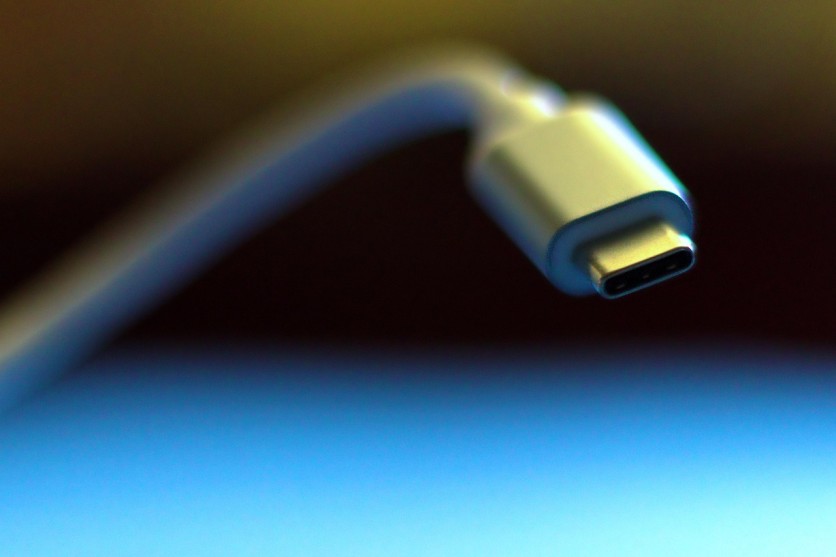
As laptops and tablets become increasingly slim and streamlined, manufacturers have stripped away many of the traditional ports users rely on daily. A single USB-C port simply doesn't provide enough connectivity for modern work, especially for remote workers, creative professionals, and students who juggle multiple devices and peripherals.
This is where USB-C multiport hubs step in, transforming one modest connection point into a gateway for monitors, keyboards, storage drives, and charging capabilities. Whether you're working from home, traveling across the globe, or managing a complex creative setup, finding the right USB-C hub can dramatically enhance your productivity.
The best USB-C hubs in 2026 offer far more than just port multiplication. They combine intelligent power delivery, stunning 4K display support, and blazing-fast data transfer speeds, all without cluttering your desk with cables. Understanding what these specifications mean and how they apply to your specific workflow is essential for making an informed purchase decision.
What Makes a USB-C Hub Essential Today
A USB-C multiport adapter solves a fundamental problem: modern devices have too few ports for the peripherals users actually need. When you connect a hub to your laptop or tablet's USB-C port, you instantly gain access to multiple USB-A connections, display outputs, card readers, and Ethernet ports, all through a single, elegant cable.
The difference between a USB-C hub and a traditional docking station matters more than most people realize. USB-C hubs are compact, portable, and typically cost between $30 and $150, making them ideal for professionals who need flexibility without breaking the bank.
Docking stations, by contrast, are bulkier, require dedicated power supplies, and often exceed $400, overkill for anyone who doesn't need a sprawling desktop setup.
Understanding USB-C Power Delivery: Charging While You Work
USB-C Power Delivery has revolutionized how we charge modern devices, and it's one of the most important features to evaluate when choosing a hub. Power Delivery specifications determine how much wattage a hub can send back to your device while simultaneously powering other peripherals.
Most USB-C multiport adapter power delivery options range from 60W to 100W, with some premium models reaching 140W or beyond. For a MacBook Air, 60W typically suffices. MacBook Pro models demand 85-100W for optimal performance, while high-end gaming laptops may require 140W.
The wattage number you see on the box tells only part of the story, hubs consume some power themselves, so a 100W PD port usually delivers around 85W to your actual device.
Pass-through charging is another critical consideration. This feature allows your laptop or tablet to charge while the hub itself remains unplugged, though some users prefer connecting their device directly to wall power for faster charging speeds.
For tablet users or anyone with only one charging port, pass-through charging transforms the hub from a luxury into a necessity.
Display Support: Bringing 4K to Life
A USB-C hub's video output capability has become a dealbreaker for many users, especially those working with large monitors or demanding visual content. Most modern USB-C hubs support at least one external display, but the quality of that display connection varies dramatically.
HDMI is the standard connector found on most hubs, and the version matters significantly. HDMI 1.4 supports 4K resolution only at 30Hz, a laggy, frustrating experience that makes onscreen movement feel sluggish.
HDMI 2.0, the current standard on quality hubs, delivers 4K at a smooth 60Hz, suitable for creative work and general productivity. A few cutting-edge USB-C hub 4K display support models now include HDMI 2.1, capable of 4K at 120Hz, though these remain relatively uncommon.
DisplayPort connections represent another path to external displays, often supporting higher resolutions and refresh rates than HDMI.
Some hubs feature DisplayLink software, which allows daisy-chaining multiple monitors or extending displays through software rather than hardware alone. This flexibility proves invaluable for professionals managing complex multi-display workflows.
The practical difference is noticeable: at 30Hz, your mouse cursor might appear to stutter, and scrolling web pages feels unnatural. At 60Hz and above, everything snaps into place.
For anyone spending 8+ hours daily staring at an external monitor, that refresh rate difference isn't just a spec, it's the difference between a pleasant workday and eye strain.
Data Transfer Speeds: Moving Files at Lightning Pace
Modern work involves constant file transfers, whether uploading video projects to the cloud, backing up sensitive documents, or moving raw photos from an external drive. This is where data transfer speeds become genuinely important, not just a number on a spec sheet.
USB 3.0 delivers 5Gbps, suitable for basic file transfers but glacial for large video files. USB 3.1 (often labeled USB 3.1 Gen 2) doubles that to 10Gbps, cutting transfer times in half.
For anyone regularly working with external SSDs or video files, this difference is substantial. A 10GB video file transfers in roughly 8 seconds on USB 3.1 versus 16 seconds on USB 3.0, multiplied across dozens of transfers daily, that's significant productivity savings.
A portable USB-C hub data transfer speed of 10Gbps is increasingly becoming the baseline expectation rather than a premium feature.
Budget hubs sometimes retain 5Gbps connections for certain ports, effectively bottlenecking your fastest drives and creating a frustrating mismatch between your hardware capabilities and the hub's architecture.
Thunderbolt 4 docks represent the absolute ceiling, delivering 40Gbps for true power users who demand professional-grade performance. For most people, USB 3.1's 10Gbps proves sufficient, but it's worth checking port specifications carefully, some hubs advertise "10Gbps" overall but restrict one or more ports to slower speeds.
Which USB-C Hub Fits Your Needs
Budget-conscious users working with modest setups find excellent value in sub-$50 options.
The Wavlink USB-C 4K@60Hz hub, for instance, delivers 100W power delivery, genuine 10Gbps data speeds on critical ports, and full 4K@60Hz HDMI output for around $30. Its slim profile and compact footprint appeal to anyone who values portability.
Mid-range hubs ($50-$150) expand the feature set significantly. Belkin's offerings include sophisticated options like the Connect Universal 8-in-1, which uses SiliconMotion software to support extended dual monitors, a feature surprisingly rare among USB-C hubs at this price point.
These models typically offer more USB-C ports, Ethernet connectivity, and superior build quality.
Premium Thunderbolt 4 dock laptop setups ($150+) represent a different category entirely. These devices unlock 40Gbps transfer speeds, support for multiple 4K displays simultaneously, and extensive port arrays suitable for creative professionals and power users running demanding workflows.
Finding the Right Balance
The ideal USB-C hub depends entirely on your specific situation. Remote workers managing basic connectivity needs have vastly different requirements than video editors transferring multi-gigabyte files daily. Students operating on tight budgets make different trade-offs than freelance photographers requiring rapid backups.
Start by honestly assessing your non-negotiable features: Do you need 4K display support? How much power delivery does your specific laptop demand? How frequently do you transfer large files? The answers to these questions narrow the field considerably and prevent overpaying for features you'll never use.
Making Your Final Decision
The USB-C hub market in 2026 offers compelling options at every price point, with genuine quality available even at budget price ranges. The best choice combines reliable build quality, sufficient power delivery for your device, and data transfer speeds matching your actual workflow demands.
Whether you need a compact travel companion or a permanent desk anchor, today's selection ensures you'll find something that transforms your mobile setup into a fully-featured workspace that matches your ambitions.
Frequently Asked Questions
1. Can I use multiple USB-C hubs daisy-chained together to expand connectivity further?
Standard USB-C hubs don't support daisy-chaining, but Thunderbolt 4 docks do. For additional USB ports, you'd need a second hub connected to your device or the first hub's available port.
2. Will using a USB-C hub slow down my laptop's overall performance or charging speed?
No impact on CPU or RAM performance. Charging speed depends on the hub's power delivery wattage, lower wattage means slower charging than plugging directly into a wall charger.
3. Are USB-C hubs safe to use with expensive devices like MacBook Pro or iPad Pro?
Yes, reputable brands like Belkin and Anker are safe. They include overcurrent protection. Avoid unknown or counterfeit sellers to ensure quality and safety.
4. What's the lifespan of a USB-C hub, and do they typically fail?
Quality hubs last 3-5 years; budget models may degrade faster. Ports typically wear out before electronics fail. Aluminum bodies indicate better durability than plastic.
ⓒ 2026 TECHTIMES.com All rights reserved. Do not reproduce without permission.


