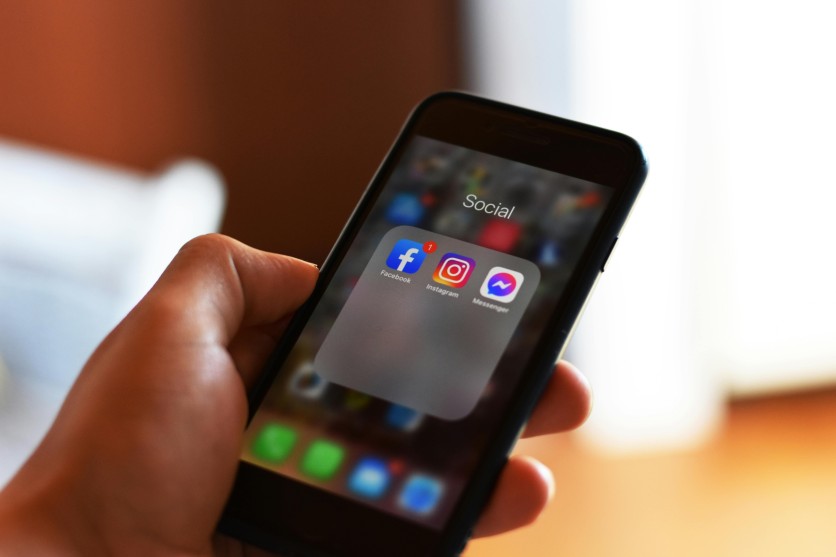
From social media platforms and shopping apps to navigation services and streaming platforms, mobile app tracking has become part of the modern digital experience.
For many everyday tracking app users, data collection happens silently through app permissions, advertising systems, analytics tools, and background activity. While some apps use this information to improve user experiences, others rely heavily on data tracking for targeted advertising and behavioral profiling.
What Is Mobile App Tracking?
Mobile app tracking refers to the collection of user information through smartphone applications. Apps gather different types of data depending on the permissions users allow and the tracking technologies built into the software.
Commonly collected information includes:
- Device details
- Location history
- Browsing activity
- Search behavior
- Purchase history
- Contacts and uploaded files
- App interaction patterns
Many applications also collect analytics data to monitor how users engage with features inside the app.
According to research from Mozilla Foundation, several popular apps gather broad amounts of user information for advertising and analytics purposes. Separately, Electronic Frontier Foundation has also raised concerns about excessive mobile app tracking and privacy risks tied to modern smartphone apps.
Popular Apps Known for Tracking User Activity
A report highlighted by BGR discussed several major apps commonly associated with large-scale data tracking. While these apps provide useful services, they also collect significant amounts of user information.
Facebook is often linked to extensive data collection practices. The app may track:
- User interactions
- Browsing habits
- Ad engagement
- Device information
- Location activity
This information helps personalize content and advertising across Meta's platforms.
Instagram collects engagement data such as:
- Likes and comments
- Viewed content
- Search activity
- Device identifiers
- Location information
Like Facebook, Instagram uses data tracking heavily for targeted advertising and personalized recommendations.
LinkedIn tracks professional activity and user behavior to improve networking recommendations and advertising systems.
Collected information may include:
- Employment details
- Search behavior
- Device data
- User interactions
Uber
Uber relies heavily on location tracking to provide transportation services. The app may collect:
- Real-time location
- Trip history
- Payment information
- Device analytics
Location tracking often continues during active rides and app usage sessions.
YouTube
YouTube tracks viewing behavior to personalize recommendations and advertisements.
The platform may collect:
- Watch history
- Search activity
- Viewing duration
- Device information
- Ad interactions
Amazon
Amazon collects shopping-related information such as:
- Product searches
- Purchase history
- Browsing habits
- Saved items
- Device data
This data helps create personalized product recommendations and advertising campaigns.
X
X tracks user engagement and platform activity, including:
- Viewed content
- Search behavior
- Device information
- Interaction patterns
The platform also uses advertising systems tied to user behavior and interests.
PayPal
PayPal collects financial and account-related information, including:
- Transaction history
- Login activity
- Device details
- Payment behavior
Financial apps often collect additional security-related data to detect suspicious activity and fraud.
How Apps Tracking Your Activity Actually Works
Many users assume apps only collect information when actively used, but modern mobile app tracking often continues in the background.
Location Tracking
Apps can use GPS, Bluetooth, Wi-Fi networks, and mobile signals to estimate user locations.
Location data may reveal:
- Daily routines
- Frequently visited places
- Shopping habits
- Travel behavior
- Home and workplace locations
Some apps continue collecting location information even when users are not actively interacting with them.
Advertising IDs and Personalized Ads
Smartphones contain advertising identifiers that allow advertisers to track activity across multiple apps.
These systems help companies:
- Build advertising profiles
- Deliver personalized ads
- Measure ad engagement
- Monitor app usage behavior
This form of data tracking is especially common in free apps supported by advertising revenue.
Background Data Collection
Certain apps continue running processes after being closed. Background activity may include:
- Analytics collection
- Feed updates
- Notification syncing
- Ad tracking
- Usage monitoring
For everyday tracking app users, background tracking can increase battery usage and mobile data consumption.
Third-Party Analytics and SDKs
Many apps include third-party software development kits or SDKs. These embedded tools collect user behavior and analytics information for advertisers and external companies.
Researchers have found that some apps contain multiple third-party trackers operating simultaneously.
Why Mobile App Tracking Raises Privacy Concerns
Apps tracking your activity can create several privacy and security concerns if too much information is collected or widely shared.
Detailed User Profiling
Companies can combine information from different apps to build highly detailed digital profiles.
These profiles may include:
- Shopping preferences
- Travel habits
- Entertainment interests
- Browsing patterns
- Daily routines
Data Sharing With Third Parties
Some applications share collected data with advertisers, analytics firms, and business partners.
Users may not always realize how broadly their information is distributed after accepting app permissions.
Security Risks
Apps storing large amounts of personal information may become targets for hackers and cybercriminals.
Data breaches involving online services and apps have exposed millions of user records in recent years.
Reduced Personal Privacy
Continuous mobile app tracking can make users feel constantly monitored, especially when ads appear related to recent searches or conversations.
Signs an App May Be Collecting Too Much Information
Some warning signs may suggest excessive data tracking.
Excessive Permission Requests
Examples include:
- Flashlight apps requesting access to contacts
- Games requesting microphone permissions
- Photo apps requesting constant location access
Unusual Battery or Data Usage
Apps running hidden background processes may consume more battery and mobile data than expected.
Highly Personalized Ads
Repeated ads based on recent activity may indicate aggressive tracking systems.
Frequent Permission Prompts
Apps repeatedly requesting denied permissions may be attempting to gather additional information.
How Everyday Tracking App Users Can Reduce Data Tracking
Users may not eliminate tracking completely, but several steps can reduce unnecessary data collection.
Review App Permissions Regularly
Users should regularly check permissions for:
- Location
- Contacts
- Camera
- Microphone
- Storage access
Disable Precise Location Access
Approximate location settings provide better privacy while still allowing many apps to function normally.
Limit Personalized Ad Tracking
Both Android and iPhone devices allow users to reduce ad tracking through privacy settings.
Delete Unused Apps
Inactive apps may continue collecting information even when rarely used.
Turn Off Background App Refresh
Disabling background activity can reduce hidden mobile app tracking and improve battery life.
Use Privacy-Focused Alternatives
Some browsers, messaging apps, and search engines prioritize stronger privacy protections and reduced data tracking.
Why Understanding Data Tracking Matters More Than Ever
Apps tracking your activity have become deeply connected to modern digital life. While many apps collect information to improve services and personalize experiences, growing concerns about privacy and security continue to push users toward greater awareness.
Frequently Asked Questions
1. How do apps track your activity?
Apps track activity through permissions, advertising IDs, analytics tools, cookies, and background processes that monitor user behavior and device activity.
2. Can apps track users even when they are not open?
Yes. Some apps continue running background processes after being closed, especially if location access or background app refresh is enabled.
3. What data do apps usually collect?
Apps may collect location information, browsing habits, device details, purchase history, contacts, and app usage behavior depending on their tracking systems.
ⓒ 2026 TECHTIMES.com All rights reserved. Do not reproduce without permission.


