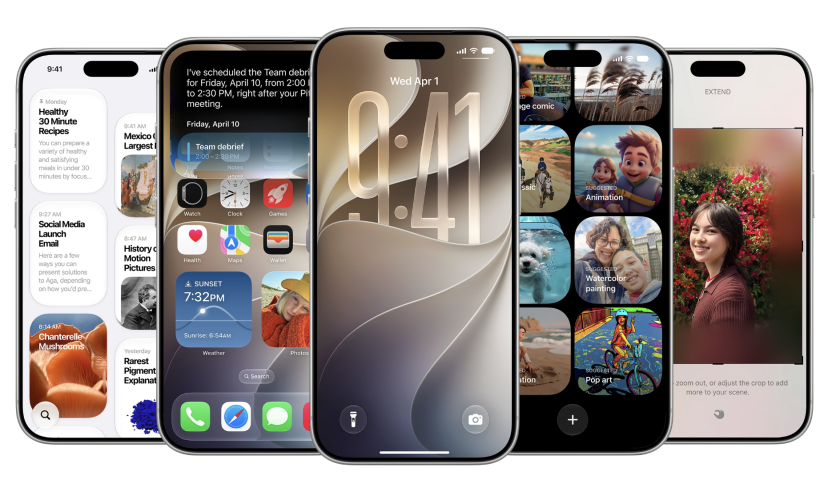
Apple devoted its June 8 WWDC 2026 keynote almost entirely to Siri AI and Apple Intelligence, but the iOS 27 developer beta released the same day carries dozens of features the company never mentioned on stage. Hands-on reports published June 9 and 10 by TechCrunch, MacRumors, and Thurrott catalog the quiet additions, and several of them, including independent alarm volume and a real AirPods equalizer, answer requests iPhone owners have made for more than a decade.
Every feature below ships as part of the free iOS 27 update this fall, and all of them can be tested in the developer beta today. Here is what Apple skipped, why each change matters, and when the public gets it.
Separate Volume Sliders Arrive: Ringtones, Alarms, System Sounds Decoupled
The most celebrated discovery sits in Settings. Since the original iPhone, iOS has routed ringtones, alerts, and alarms through a single ringer volume, so quieting text notifications also quieted the morning alarm. iOS 27 finally splits those into three independent levels: one for ringtones, one for alarms and timers, and one for alerts and system sounds.
The controls live in Settings > Sounds & Haptics, where a new "Match Ringtone Volume" toggle appears above each category. Switching it off exposes a dedicated slider. Apple's own settings text says the alerts category covers incoming texts, keyboard clicks, and camera shutter sounds, while the alarm slider does not affect Wake-Up alarms or other alarms that already carry their own volume control. MacRumors confirmed the decoupled sliders are live in developer beta one.
AirPods Custom EQ Debuts: H2 Chip Models Gain Manual Lows, Mids, Highs
iOS 27 also reorganizes AirPods settings into a cleaner panel at the top of the Settings app whenever earbuds are connected, and it adds the first user-adjustable equalizer in AirPods history. Until now, the earbuds relied solely on Adaptive EQ, which tunes sound automatically with no user input.
The new Custom EQ lets listeners drag lows, mids, and highs manually, with an interactive preview before committing and a one-tap return to Apple's default tuning. It works on AirPods Max 2, AirPods Pro 3, and AirPods 4, the three current models built on Apple's H2 audio chip, and extends to iPadOS 27 and macOS 27. Apple's press release adds that expanded GymKit support will let AirPods Pro 3 wearers sync heart rate data through iPhone at connected gym equipment while streaming audio.
Full-Page Widgets Hint Foldable iPhone Groundwork
The beta introduces an extra-large widget size that occupies an entire Home Screen page, surfacing far more data from apps such as Weather, Music, and News. TechCrunch's hands-on shows full-screen widgets turning a page into a glanceable news or calendar board.
There may be more here than convenience. Bloomberg's Mark Gurman reported, as relayed in Thurrott's roundup, that the full-page layout is among several iOS 27 features built for larger displays, alongside hidden code references to folding hardware, adding weight to expectations of a foldable iPhone later this year.
How Do Full-Resolution iCloud Shared Albums Work on Android and Windows?
The most technically significant sleeper change involves iCloud Shared Albums. Apple confirmed that Android and Windows users will be able to join and contribute photos via iCloud.com, and that uploads will keep full resolution with no compression for the first time.
That compression detail is the real story. Under the current pipeline, Apple's documentation states that photos added to a Shared Album are downscaled to 2,048 pixels on the long edge, panoramas top out at 5,400 pixels, and videos are transcoded to 720p with a 15-minute cap, a bandwidth-saving design dating to the feature's 2013 debut that also keeps shared content from counting against iCloud storage quotas. iOS 27 removes that downscaling, so a 48-megapixel iPhone photo arrives at original quality, and Apple lists cross-platform full-resolution sharing among features coming this fall.
The surrounding plumbing improves too. Apple added filters, reactions, and new invitation tools for shared albums, plus an option to set an album to expire after a chosen period. On Apple hardware, iCloud photo syncing gets much faster, and a new control lets users manually sync files, photos, and health data to iCloud on demand.
Smaller iOS 27 Beta Discoveries: Clipboard Paste Bar, Weather Highlights, Find My Pause
TechCrunch's beta dive surfaced a long tail of quality-of-life changes: a keyboard paste suggestion that appears whenever text or a screenshot sits in the clipboard, working like one-time-passcode autofill; a redesigned Weather app with a Highlights section and quick switching among Conditions, Precipitation, and Wind views; a Drawing option in Messages for sketches and diagrams; configurable voice recording and dictation buttons in Messages; overhauled camera controls with fast access to depth, grid, and level; and a Find My option to hide your location from one person for a set time without notifying them.
The list keeps going. Wallet gains user-created custom passes, CarPlay adds audio scrubbing, and Calendar can detect holidays and ask whether scheduled alarms should stay. MacRumors documents saving a video frame as a photo, Markdown pasting in Notes, dual FaceTime cameras, faster AirPlay and AirDrop, and a listed option to share one phone number across two iPhones, though that capability may require carrier support and was not yet confirmed in the beta. A developer session spotted by MacRumors and cited by Thurrott shows CarPlay apps gaining video playback in parked vehicles.
Apple Performance Claims: Apps Launch 30% Faster, AirDrop Transfers 80% Faster
Some of the biggest unannounced changes are invisible. Apple's release materials claim apps launch up to 30% faster, photos load up to 70% faster after capture, and AirDrop transfers run up to 80% faster, with the app-launch figure measured on an iPhone 11 Pro Max. Design-wise, a new Settings slider lets users tune the Liquid Glass interface from ultra-clear to fully tinted, addressing the transparency complaints that followed iOS 26.
Public Beta Lands July, Free Update Ships Fall 2026
Apple says a public beta arrives next month through beta.apple.com, with the finished software shipping as a free update this fall, historically September, alongside new iPhones. The AirPods Custom EQ additionally requires beta AirPods firmware on supported models during the test period. The keynote's headline act is maturing on its own track: MacRumors published a separate Siri AI hands-on on June 10, but as this beta shows, the features Apple never staged may change daily iPhone use just as much.
Frequently Asked Questions
How do you set different alarm and ringtone volumes in iOS 27?
Open Settings > Sounds & Haptics, find the alarms and timers category, and turn off the "Match Ringtone Volume" toggle to reveal an independent slider. The same toggle exists for alerts and system sounds, though Wake-Up alarms with their own volume control are unaffected.
Which AirPods support the custom EQ in iOS 27?
Custom EQ works on AirPods Max 2, AirPods Pro 3, and AirPods 4, the models running Apple's H2 audio chip. It is also available through iPadOS 27 and macOS 27, and during the beta period it requires opting into beta AirPods firmware.
Can Android users join iCloud Shared Albums?
Yes. Once iOS 27 rolls out, Android and Windows users can join shared albums and upload their own photos through iCloud.com, with full-resolution support. Previously they could only view albums through a limited web link while uploads from Apple devices were compressed.
When does iOS 27 come out for everyone?
Apple will open a public beta in July 2026 through its Beta Software Program, and the finished update arrives as a free download this fall. The developer beta containing all of these features is available now through the Apple Developer Program.
ⓒ 2026 TECHTIMES.com All rights reserved. Do not reproduce without permission.


