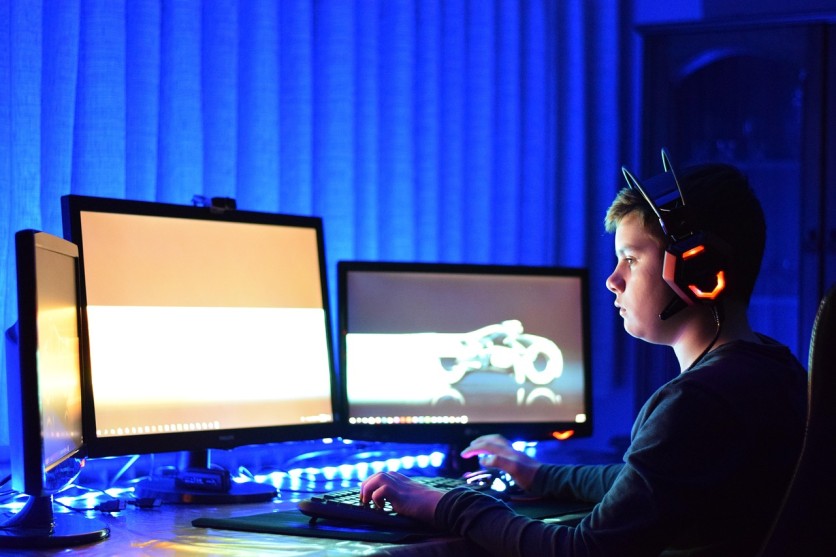
A well-planned 1440p gaming PC build strikes a balance between performance, visual quality, and long-term value. As 1440p gaming continues to dominate the sweet spot between 1080p and 4K, many gamers are focusing on building a gaming PC that can handle modern titles smoothly while staying relevant for years.
Choosing the right combination of CPU, GPU, RAM, PSU, and cooling is essential for achieving consistent performance and avoiding costly upgrades too soon.
What Does "Future-Proof" Mean for a 1440p Gaming PC?
Future-proofing a gaming PC build does not mean making it immune to aging. Instead, it involves selecting components that can handle upcoming game demands and support upgrade flexibility. For 1440p gaming, this typically means targeting high or ultra settings at 60–144 FPS while ensuring compatibility with next-generation hardware.
A future-proof PC also considers emerging technologies like ray tracing, AI upscaling, and faster memory standards. Investing in a balanced system prevents bottlenecks and extends the lifespan of the entire build.
Choosing the Best CPU for 1440p Gaming
The CPU plays a supporting but still important role in a 1440p gaming PC. While the GPU handles most of the graphical workload, the CPU ensures smooth gameplay, stable frame rates, and responsiveness in CPU-heavy titles.
Modern gaming benefits from CPUs with at least 6 to 8 cores, but 8 to 12 cores are ideal for future-proofing. Higher clock speeds and strong single-core performance remain critical, especially for competitive gaming.
Is CPU or GPU More Important for 1440p Gaming?
For 1440p gaming, the GPU has a greater impact on performance than the CPU. However, pairing a high-end GPU with a weak CPU can lead to bottlenecks, especially in open-world or simulation-heavy games. A balanced pairing ensures consistent frame pacing.
How Many Cores Are Needed for Gaming in 2026?
Most modern games run efficiently on 6 cores, but newer titles are increasingly optimized for 8 cores or more. For a future-proof gaming PC build, opting for at least 8 cores ensures better multitasking and longevity.
Selecting the Right GPU for 1440p Gaming
The GPU is the centerpiece of any 1440p gaming PC build. It determines how well games run at higher resolutions and settings, making it the most critical component for visual performance.
For smooth 1440p gaming, mid-to-high-tier GPUs are recommended. Features like ray tracing and AI-based upscaling (such as DLSS or FSR) can significantly improve performance and visual quality.
VRAM capacity is another key factor. While 8GB may still handle many titles, 12GB to 16GB is becoming the safer choice for newer games.
What GPU Is Needed for 1440p Gaming?
A GPU capable of consistently delivering 60 FPS or higher at high settings is ideal. Cards in the upper mid-range to high-end category provide the best balance between cost and performance for 1440p gaming.
Is 12GB VRAM Enough for 1440p Gaming?
For most current games, 12GB VRAM is sufficient. However, newer titles with high-resolution textures and ray tracing features are pushing beyond that limit. Choosing a GPU with more VRAM can improve longevity.
How Much RAM Do You Need for a Gaming PC Build?
RAM plays a supporting role in ensuring smooth gameplay and system responsiveness. For a 1440p gaming PC, 16GB is considered the baseline, while 32GB is becoming increasingly common for future-proof builds.
DDR5 memory offers higher speeds and better efficiency compared to DDR4, although the real-world gaming difference may vary depending on the setup.
Is 16GB RAM Enough for 1440p Gaming?
16GB is still adequate for most games today. However, some newer titles and multitasking scenarios can push beyond that limit. Upgrading to 32GB provides more headroom for future games.
Does RAM Speed Affect Gaming Performance?
RAM speed can impact performance, particularly in CPU-bound scenarios. Faster RAM can improve frame rates and reduce stuttering, although the gains are usually modest compared to GPU upgrades.
Picking the Right PSU for Stability and Longevity
The power supply unit (PSU) is often overlooked, but it is essential for a reliable gaming PC build. A high-quality PSU ensures stable power delivery and protects components from electrical issues.
Wattage requirements depend on the CPU and GPU combination. Most 1440p gaming PCs require between 650W and 850W, but higher-end GPUs may need more. Efficiency ratings such as 80 Plus Gold or Platinum indicate better energy efficiency and reliability.
What PSU Wattage Is Needed for a 1440p Gaming PC?
A 750W PSU is typically sufficient for most mid-to-high-end 1440p gaming builds. Systems with more powerful GPUs or additional components may require 850W or higher.
Is 750W Enough for a 1440p Gaming PC?
In many cases, yes. However, future upgrades should be considered. Choosing a slightly higher wattage PSU can provide flexibility and prevent the need for replacement later.
Cooling Solutions for a Future-Proof Gaming PC
Effective cooling is critical for maintaining performance and extending component lifespan. High temperatures can lead to throttling, reduced efficiency, and long-term damage.
Air cooling is often sufficient for most CPUs, while liquid cooling may benefit high-performance systems. Proper case airflow, including intake and exhaust fans, is equally important.
Do You Need Liquid Cooling for 1440p Gaming?
Liquid cooling is not required for most 1440p gaming PC builds. High-quality air coolers can handle the majority of CPUs effectively. Liquid cooling becomes more relevant for overclocking or high-end processors.
How Many Fans Should a Gaming PC Have?
A typical setup includes at least three fans: two intake and one exhaust. Additional fans can improve airflow, especially in systems with powerful GPUs.
Storage Considerations for 1440p Gaming
Storage affects load times and overall system responsiveness. Solid-state drives (SSDs), particularly NVMe drives, offer significantly faster speeds than traditional hard drives.
For a gaming PC build, at least 1TB of SSD storage is recommended, with additional space for larger game libraries. PCIe Gen4 and Gen5 drives provide faster performance, though the difference in gaming is often subtle.
Best Upgrade Paths for a 1440p Gaming PC Build
Planning for upgrades is a key aspect of future-proofing. Choosing a motherboard that supports newer CPUs and memory standards ensures compatibility with future components.
Upgrading the GPU is typically the most impactful improvement for 1440p gaming. Ensuring the PSU and case can accommodate future upgrades prevents limitations later.
Common Mistakes to Avoid When Building a 1440p Gaming PC
One of the most common mistakes is overspending on the CPU while neglecting the GPU. Since 1440p gaming relies heavily on GPU performance, allocating the budget accordingly is crucial.
Another issue is choosing a low-quality PSU, which can compromise system stability. Poor airflow and inadequate cooling can also reduce performance and lifespan. Balancing all components ensures a more efficient and reliable gaming PC build.
Building a Balanced 1440p Gaming PC That Lasts
A well-balanced 1440p gaming PC build focuses on the right mix of GPU power, CPU capability, sufficient RAM, and reliable cooling. Prioritizing the GPU while maintaining a capable supporting system allows for smooth 1440p gaming across a wide range of titles.
By planning for upgrades and avoiding common pitfalls, a gaming PC can remain capable and efficient for years, delivering consistent performance in the evolving landscape of 1440p gaming.
Frequently Asked Questions
1. Is 1440p gaming better than 1080p for competitive games?
1440p offers sharper visuals, but competitive players may still prefer 1080p for higher frame rates and lower input latency.
2. How long does a 1440p gaming PC typically last before needing upgrades?
A well-balanced build can last around 3 to 5 years before major upgrades are needed, depending on game demands.
3. Do you need a high refresh rate monitor for 1440p gaming?
A high refresh rate monitor (144Hz or higher) enhances smoothness, especially in fast-paced games, but is not required.
4. Can a 1440p gaming PC handle streaming at the same time?
Yes, with a capable CPU and GPU, most modern systems can handle gaming and streaming simultaneously without major performance loss.
ⓒ 2026 TECHTIMES.com All rights reserved. Do not reproduce without permission.


