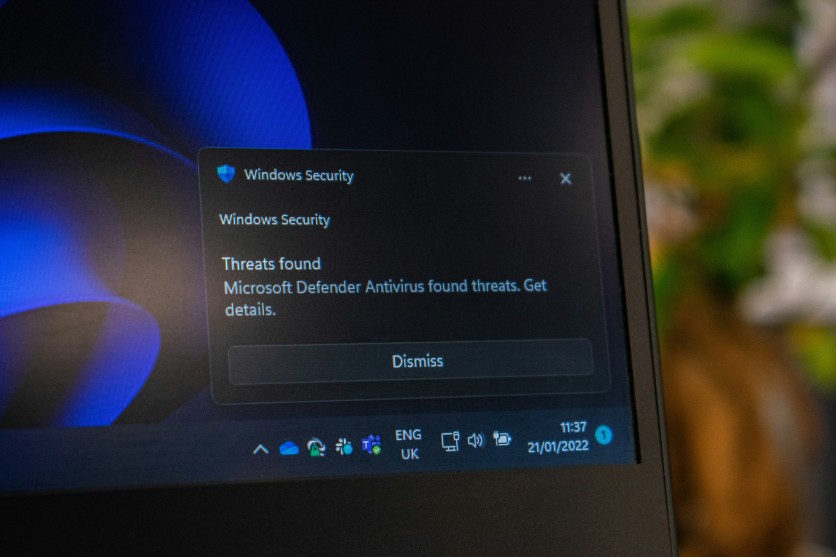
Antivirus apps remain essential PC protection tools for defending Windows systems against viruses, malware, phishing attempts, and other online threats. Even with built-in security improving over time, many users still rely on dedicated antivirus software to add an extra layer of defense. This guide looks at the most reliable free antivirus apps and how they perform in real-world use.
Choosing the right antivirus for PC is not just about installing popular software, but about understanding how protection works in the background. Some tools focus on real-time scanning, while others prioritize lightweight performance or extra privacy features. For users who want solid security without paying, free antivirus apps can still offer meaningful protection when selected carefully.
Best Free Antivirus Apps To Consider
Free antivirus software plays an important role in keeping Windows PCs safe from viruses, malware, and online threats without requiring a paid subscription. Many users rely on these tools as their first layer of defense because they combine convenience with essential protection features. Choosing the right option depends on how well each antivirus app balances security, performance, and ease of use.
- Microsoft Defender Antivirus: Built into Windows and activated by default, it provides real-time scanning and basic protection without extra installation. It also receives regular updates through Windows Update to improve threat detection over time.
- Bitdefender Antivirus Free for Windows: Known for strong malware detection and minimal system impact, making it one of the most efficient free antivirus apps. It runs quietly in the background without interrupting everyday tasks.
- AVG AntiVirus Free: Offers real-time protection, phishing defense, and regular malware scanning for everyday PC protection tools. It also includes web protection features to help block unsafe websites.
- Avast One Basic: Combines antivirus protection with additional security tools like network monitoring and basic privacy features. It also provides alerts for suspicious activity to help users stay protected online.
- Avira Free Security: A lightweight option that includes antivirus scanning plus extra privacy and system optimization tools. It also helps improve system performance by removing unnecessary files.
- Panda Antivirus: Simple interface with essential protection features and optional rescue-style malware cleanup tools. It also offers a straightforward setup process that makes it beginner-friendly.
The best antivirus apps are judged by detection accuracy, speed, update frequency, and ease of use.
Read more: Claude Code Dynamic Workflows: Scripts Replace Context Windows, Ultracode Automates Orchestration
What Makes A Free Antivirus Worth Using
A strong antivirus for PC should offer more than occasional manual scans. The best free antivirus apps include real-time protection that blocks threats immediately, along with automatic updates that keep detection systems current. These core functions matter more than extra features when evaluating antivirus software.
System performance is another important factor. A good PC protection tool should run quietly in the background without slowing down browsing, gaming, or productivity tasks. Some antivirus apps are extremely lightweight, while others can become noticeable on older hardware or low-spec systems.
Trust and reliability also play a major role in choosing antivirus software. Even if an app detects malware effectively, frequent pop-ups or confusing interfaces can reduce usability. The most effective antivirus apps balance protection strength with a clean and simple experience.
How To Choose The Right Free Antivirus
The best antivirus for PC depends heavily on how the system is used daily. Light users who mainly browse, stream, and check email may only need a basic free antivirus app, while users who frequently download files or install software may benefit from stronger real-time scanning tools.
Extra features can be helpful, but they should not overshadow core protection. A reliable PC protection tool must focus first on blocking viruses, preventing phishing attempts, and stopping malicious downloads. Everything else should support those core functions rather than replace them.
It is also important to compare update frequency, detection rate, and system impact before installing antivirus software. A well-maintained tool that stays lightweight in the background often delivers better long-term value than feature-heavy software that slows the system.
The Best Free Protection Is The One That Stays Out Of The Way
The most effective antivirus apps are the ones that quietly protect a system without disrupting daily use. That is why many users continue to rely on free antivirus apps that offer dependable performance without requiring subscriptions.
Tools like Microsoft Defender Antivirus, Bitdefender Antivirus Free for Windows, AVG AntiVirus Free, Avast One Basic, Avira Free Security, and Panda Antivirus show that solid protection does not always need to be paid.
For users searching for an antivirus for PC and reliable PC protection tools, the best choice is the one that balances strong malware detection with low system impact. When antivirus software works silently in the background while keeping threats away, it becomes a practical and trustworthy part of everyday computing.
Frequently Asked Questions
1. Are free antivirus apps enough to protect a PC?
Free antivirus apps can provide solid basic protection for most users. They usually include real-time scanning and malware detection. However, they may lack advanced features found in paid antivirus software. For everyday use, they are often sufficient if kept updated.
2. Which antivirus for PC is the lightest on system resources?
Microsoft Defender Antivirus and Bitdefender Antivirus Free for Windows are known for low system impact. These tools are designed to run quietly in the background. They do not significantly slow down most PCs during normal use. This makes them suitable for older or less powerful systems.
3. Do antivirus apps slow down a computer?
Some antivirus apps can affect performance depending on their design. Heavy scanning or frequent background tasks may slow down older systems. Lightweight antivirus software minimizes this issue by optimizing resource usage. Choosing a well-reviewed PC protection tool helps avoid performance problems.
4. Should I use more than one antivirus software at the same time?
Running multiple antivirus apps together is not recommended. It can cause system conflicts and reduce overall performance. Most antivirus for PC solutions are designed to work alone effectively. Using one reliable tool is usually safer and more stable.
ⓒ 2026 TECHTIMES.com All rights reserved. Do not reproduce without permission.


