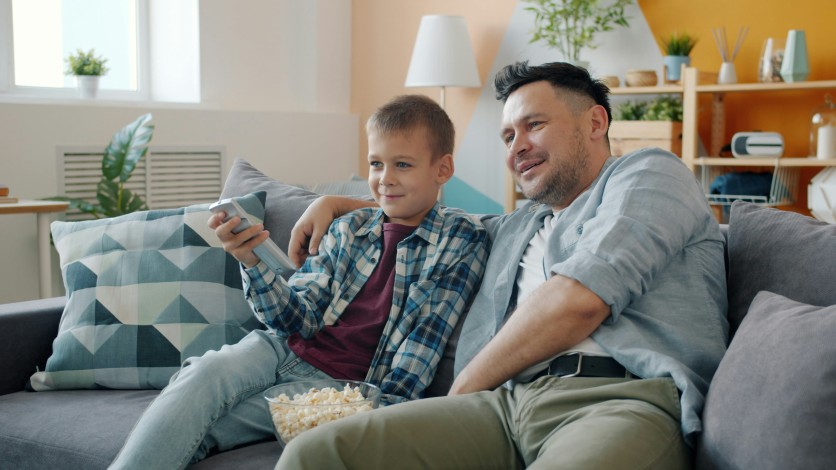
Parental control apps play a key role in improving online safety for kids by helping families manage digital exposure and monitor activity. These tools use smart filtering systems, screen time controls, and location tracking to create safer online environments for children using smartphones, tablets, and computers.
Online safety kids strategies focus on balancing protection with healthy digital habits. By using parental control apps, parents can guide behavior, limit harmful content, and encourage responsible technology use. Understanding how these tools work makes it easier to choose the right features and keep children safe without limiting their ability to learn and explore online.
Parental Control Apps Content Filtering Architecture
Parental control apps use advanced filtering systems to block harmful websites and inappropriate content. These tools rely on content classification databases that scan millions of URLs and categorize them based on safety levels. This helps prevent access to adult material, gambling sites, and malicious pages, improving online safety for kids across devices.
Online safety kids also benefit from keyword detection systems that identify harmful language, including cyberbullying or explicit content. These filters work in real time and can flag or block conversations that may pose a risk. Parental control apps often include whitelisting features, allowing access only to approved educational and safe websites while maintaining a secure browsing experience.
Online Safety Kids Screen Time Geofencing Protocols
Online safety kids include managing how long and where devices are used. Parental control apps allow parents to set daily screen time limits, helping children build healthier digital habits and avoid overuse. These controls can automatically lock devices after usage limits are reached.
Geofence boundary algorithms add another layer of protection by creating virtual safe zones around places like schools or homes. Parents receive alerts when children leave these areas, improving real-world safety. Combined with screen time controls, these features support both digital discipline and physical security.
Parental Control Apps Behavioral Analytics Monitoring
Parental control apps use behavioral analytics to help parents understand how children interact with digital devices. These tools go beyond basic restrictions by analyzing usage patterns and identifying risky behavior early. This helps improve online safety for kids by encouraging healthier and more balanced digital habits.
- Behavior Tracking and Usage Analysis: Parental control apps monitor app usage patterns to detect excessive screen time and unhealthy digital habits.
- Early Intervention for Digital Behavior: These insights allow parents to step in early and guide better online habits before issues become serious.
- Online Safety Kids Communication Monitoring: Online safety kids tools can scan messages and social interactions to flag unknown contacts or suspicious activity.
- Detection of Potential Online Threats: Alerts help identify risky behavior such as cyberbullying or contact from unsafe users.
- Location Tracking and Activity Logs Parental control apps provide detailed location history and daily activity reports for better awareness.
- Comprehensive Digital Safety Overview: Combined monitoring features create a full picture of a child's online and offline routines for improved protection.
Parental Control Apps Geofencing and Real-Time Location Safety Features
Parental control apps are not only focused on online activity but also on real-world safety through location tracking technologies. These tools use geofencing boundary systems to create virtual safe zones and send instant alerts when children move outside approved areas. This strengthens online safety kids by connecting digital monitoring with physical world awareness.
- Geofencing Boundary Algorithms: Parental control apps use geofence boundary algorithms to set safe zones around locations like home and school.
- Real-Time Location Tracking: GPS and WiFi-based tracking provide continuous updates on a child's location for improved safety awareness.
- Instant Exit Alerts: Parents receive notifications when a child leaves a designated safe area, enhancing response time.
- Improved Online Safety Kids Integration: Location data works alongside digital monitoring to provide a complete safety system.
- Accurate Movement Detection: Advanced systems reduce errors in tracking by combining multiple location signals.
- Stronger Digital and Physical Protection: These features ensure both online safety kids and real-world safety are monitored together.
Strengthen Online Safety Kids With Smart Parental Control Apps
Parental control apps offer a practical way to improve online safety for kids by combining content filtering, screen time management, and behavior monitoring. These tools help parents stay informed while guiding children toward safer digital habits and responsible online behavior.
Online safety kids become more effective when these features are used together. By setting clear boundaries and using smart monitoring tools, families can create a balanced digital environment that protects children while still allowing learning, communication, and exploration.
Frequently Asked Questions
1. What are parental control apps?
Parental control apps are tools that help parents monitor and manage their child's online activity. They can block harmful content, limit screen time, and track usage. These apps work on smartphones, tablets, and computers. They are designed to improve online safety for kids.
2. How do parental control apps improve online safety for kids?
They filter inappropriate content and monitor online behavior. Parents can also set limits on screen time and app usage. Some apps send alerts for risky activity or location changes. This helps protect children both online and offline.
3. Are parental control apps safe to use?
Yes, most parental control apps are safe when downloaded from trusted sources. They use secure systems to protect data and privacy. Parents should still review app permissions before use. Choosing a reliable app ensures better protection.
4. Can parental control apps prevent cyberbullying?
They can help detect and reduce cyberbullying by monitoring messages and keywords. Alerts notify parents when harmful language is detected. While not perfect, they provide an extra layer of protection. Open communication with children is still important.
ⓒ 2026 TECHTIMES.com All rights reserved. Do not reproduce without permission.


