Smartphones have become essential tools for communication, navigation, shopping, and entertainment, but they also serve as powerful data collection devices. Many everyday apps engage in extensive app data collection, often beyond what users expect.
From tracking location to monitoring behavior, these apps rely on permissions that quietly fuel their data practices. Understanding how privacy, tracking, and permissions work is the first step to learning how to lock down apps and protect personal information.
Why Everyday Apps Collect So Much Data
Most apps are free to download, but that convenience comes at a cost. Instead of charging upfront fees, developers often rely on advertising and data-driven business models. This means app data collection becomes central to how these platforms operate.
Apps commonly collect:
- Location data for targeted services and ads
- Device information such as IP address and operating system
- Behavioral data like clicks, searches, and time spent
- Contacts, photos, and files depending on permissions granted
Permissions act as the gateway. When users accept access requests without scrutiny, they often allow apps to collect more data than necessary.
What Data Do Apps Collect About You?
Apps can gather a wide range of information, including precise location, browsing habits, purchase history, and even biometric identifiers. In some cases, this data is shared with third-party advertisers or analytics companies, expanding the scope of tracking beyond the app itself.
Why Do Apps Need So Many Permissions?
Permissions are often framed as necessary for functionality, but not all requests are essential. For example, a flashlight app requesting access to contacts or location raises valid privacy concerns. Many apps request broad permissions to maximize data collection for analytics or monetization.
1. Social Media Apps and Tracking Practices
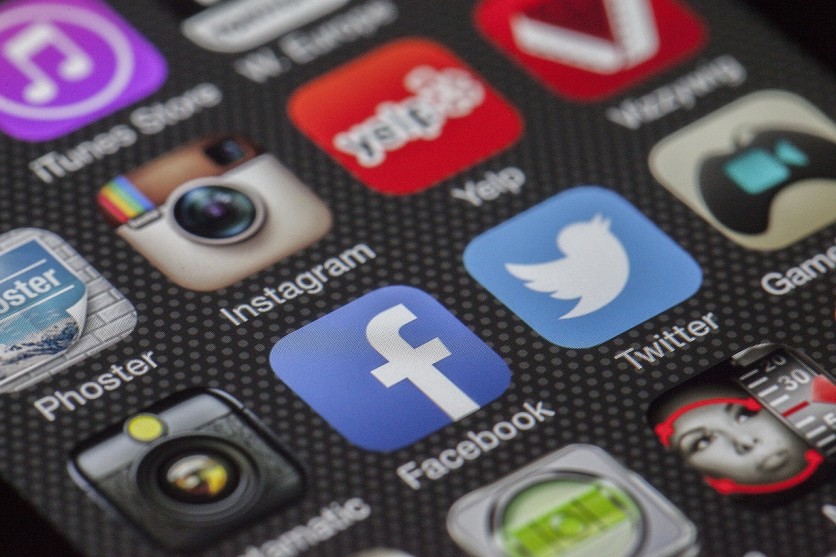
Platforms like Facebook, Instagram, and TikTok are among the most data-intensive apps. They track user interactions, content preferences, and even activity outside their platforms through embedded tracking tools.
These apps build detailed user profiles for targeted advertising, making them central players in large-scale app data collection.
2. Navigation Apps and Constant Location Tracking
Google Maps and Waze rely heavily on real-time location data to function effectively. However, they also store location history, which can reveal patterns about daily routines, workplaces, and personal habits.
3. Weather Apps and Hidden Tracking
Weather apps appear simple, but many rely on location data and third-party software development kits (SDKs). These SDKs can enable tracking for advertising purposes, sometimes without clear disclosure.
4. Shopping Apps and Behavioral Insights
E-commerce platforms like Amazon, Shopee, and Lazada track browsing behavior, purchase history, and even how long users linger on certain products. This data helps refine recommendations and marketing strategies.
5. Fitness and Health Apps and Sensitive Data
Fitness trackers and health apps collect highly sensitive information, including heart rate, activity levels, and sleep patterns. While useful for personal insights, this data can pose privacy risks if not properly secured.
6. Messaging Apps and Metadata Collection
Apps like Messenger and WhatsApp emphasize encryption, but they still collect metadata. This includes who users communicate with, how often, and at what times, valuable data points for tracking behavior.
7. Free Games and Ad-Driven Tracking
Many free games rely on ads for revenue, which often involves extensive tracking. These apps may collect device identifiers, location data, and usage patterns to serve targeted advertisements.
8. Photo Editing Apps and File Access
Photo editing apps often request access to storage, camera, and sometimes facial recognition features. This level of access can expose sensitive personal media if permissions are not carefully managed.
9. Smart Home Apps and Continuous Monitoring
Apps connected to smart devices, such as security cameras, speakers, and thermostats, collect ongoing data about home environments and routines. This continuous tracking raises unique privacy considerations.
10. Email Apps and Content Analysis
Some email apps scan messages to offer features like smart replies or categorization. While convenient, this process can involve analyzing sensitive communication data.
How to Lock Down Apps and Protect Your Privacy
Taking control of permissions and limiting tracking is key to reducing app data collection. Users can adopt several practical strategies to lock down apps effectively.
How Do I Stop Apps From Tracking Me?
Disabling ad tracking features on devices is a strong starting point. Both iOS and Android offer settings to limit personalized ads and reduce cross-app tracking. Turning off background app activity also helps minimize data collection.
How Do I Change App Permissions on My Phone?
Most smartphones provide centralized dashboards to manage permissions. Users can:
- Review which apps have access to location, camera, and microphone
- Switch to "Allow Only While Using the App" settings
- Revoke permissions that are not essential
Regular audits ensure that apps only access necessary data.
What Permissions Should I Avoid Giving Apps?
Permissions that often raise privacy concerns include:
- Access to contacts without clear purpose
- Continuous location tracking
- Microphone or camera access outside core functionality
Being selective about permissions significantly reduces unnecessary tracking.
Can Apps Track You Even When Not in Use?
Yes, many apps continue tracking in the background. This includes collecting location data or syncing usage statistics. Restricting background activity and enabling system-level privacy controls can limit this behavior.
Best Practices to Minimize App Data Collection
Maintaining privacy requires ongoing attention. A few consistent habits can make a meaningful difference:
- Delete unused apps to reduce exposure
- Install apps only from trusted developers
- Review privacy policies for transparency on data usage
- Keep operating systems and apps updated for security improvements
Using privacy-focused alternatives, such as browsers or messaging apps with minimal tracking, can further limit app data collection.
Tools and Settings to Strengthen Privacy
Modern devices include built-in tools designed to enhance privacy and control tracking:
- iOS App Tracking Transparency allows users to opt out of cross-app tracking
- Android Privacy Dashboard provides a clear overview of permission usage
- VPNs can mask IP addresses and encrypt internet traffic
- Private browsers limit cookies and tracking scripts
These tools help users take a proactive approach to locking down apps and protecting personal data.
Lock Down Apps and Take Control of Your Privacy
App data collection is deeply embedded in the digital ecosystem, but it is not unavoidable. By understanding how tracking works and carefully managing permissions, users can significantly reduce their exposure.
Taking steps to lock down apps, through permission audits, privacy settings, and mindful app usage, empowers individuals to protect their privacy without giving up the convenience of modern technology.
Frequently Asked Questions
1. Are free apps more likely to collect user data than paid apps?
Free apps often rely on advertising or data monetization, which can lead to more tracking. Paid apps may collect less data, but this depends on the developer's privacy practices.
2. Does uninstalling an app delete the data it already collected?
Uninstalling removes the app from the device, but previously collected data may still be stored on company servers unless the user requests deletion.
3. How can you tell if an app is selling your data?
Review the app's privacy policy and data-sharing disclosures. Look for mentions of "third-party partners" or "advertising networks."
4. Do app updates change privacy settings or permissions?
Yes, updates can introduce new permissions or alter data practices. It is important to review permissions after major updates.
ⓒ 2026 TECHTIMES.com All rights reserved. Do not reproduce without permission.


